CircuitStudio is a professional PCB design software from Altium, designed to provide designers with an efficient and easy-to-use design experience. The latest version of CircuitStudio is equipped with a number of powerful features, such as intelligent routing, ECAD-MCAD collaboration, etc., which can help teams quickly realize complex circuit board designs.

CircuitStudio Introduct
CircuitStudio is a professional PCB design software designed to provide an efficient and easy-to-use design experience. It combines powerful features with an intuitive user interface that enables designers to quickly realize their ideas.Version 1.5 of CircuitStudio supports the seamless migration of legacy Eagle data to modern tools, while ensuring that users can continue to edit their design files in the future. The software accelerates the design of complex board layouts with intelligent interactive routing and Situs intelligent auto-routing technology. In addition, CircuitStudio supports collaboration with mechanical design teams, making the integration of electronic and mechanical design much smoother.
- Software: CircuitStudio
- Cost: Paid
- Website: https://www.altium.com/circuitstudio
- Launched: 2015
- Company: Altium
CircuitStudio Features
CircuitStudio has a number of core features designed to enhance the efficiency and flexibility of PCB design. With its intuitive interface, users are able to quickly get started and perform complex designs. In terms of circuit layout, CircuitStudio offers intelligent schematic capture and constraint-based PCB layout techniques to make designs more efficient. The software's built-in electronic and mechanical design team collaboration features, combined with native 3D PCB editing and STEP MCAD support, make cross-team collaboration more efficient. Notably, CircuitStudio also perfectly supports design history compatibility with Altium Designer and Eagle, ensuring that users' design experience is fully utilized.
- Interactive and automated cabling.CircuitStudio provides intelligent routing features that enable users to quickly design advanced board layouts and improve design efficiency.
- Intuitive ECAD-MCAD Collaboration.The software facilitates collaboration between mechanical and electronic design teams and supports Native 3D PCB editing.
- Integrated analog and digital simulation.Built-in XSPICE simulation enables users to accurately simulate and distribute advanced electronics.
- Intelligent Schematic Capture.Rapidly translates design ideas into reality, facilitates efficient capture of hierarchical schematics, and effectively manages design constraints.
- Data-rich supplier links.Real-time component pricing and availability data ensures designers never miss a deadline again.
- Customizable component creation.Users can quickly create customized components with support for component parameterization and data sheets.
CircuitStudio Turorial
Learning PCB design software, there are always some problems, through some videos or communities, we can solve the problem more quickly, here are a few tutorial sites we prepared for you to learn CircuitStudio.
- CircuitStudio Tutorial Videos.This site offers a wealth of video tutorials for CircuitStudio for both beginners and advanced learners. The videos are clear and easy to understand and can help users get started quickly, suitable for users who want to learn CircuitStudio software through videos.
- CircuitStudio Online Documentation.Documentation, updated online throughout the year, covers all of CircuitStudio's features and usage flows. Recommended for any user wishing to gain an in-depth understanding of the software's features, this is the definitive resource for learning the software.
- CircuitStudio Getting Started Video Series.This series of video tutorials is specially designed for novices, with detailed and intuitive steps, suitable for new users who know nothing about CircuitStudio, to help users quickly master the basic operation.
- CircuitStudio Explore Documentation.This is an exhaustive step-by-step tutorial on the features of CircuitStudio for those who need to get hands-on and learn specific features, especially helpful for those who wish to create PCBs.
- Circuit Studio PDF Tutorial.This PDF document provides detailed step-by-step instructions for users who are accustomed to reading written materials, which can be downloaded and used at any time, making it very easy to learn and refer to.
CircuitStudio Reviews
CircuitStudio is a popular PCB design software, but user feedback shows its flaws. Many users noted that after migrating from Altium Designer to CircuitStudio, shortcut key incompatibilities and the lack of important shortcut buttons made operations cumbersome. Additionally, difficulties in importing vendor parameters have hindered users in creating custom parts. In addition, some users reported software quality issues during use, such as incorrect wiring and component connections and error messages about access conflicts, which affected design efficiency. Despite its relatively reasonable price, these issues make for a disappointing user experience with CircuitStudio. Overall, users expect more improvements and optimizations in the future.
- Keyboard shortcuts incompatible with.In CircuitStudio, many of the shortcuts you're used to in Altium Designer are changed, making conversions very difficult.
- Unable to import vendor parameters.It is not possible to import supplier parameters directly from other parts, which makes creating custom parts extremely tedious.
- Missing shortcut buttons.The very useful bottom-right shortcut button in Altium Designer has disappeared in CircuitStudio, resulting in inconvenient operation.
- Bad user experience: theFor those who are used to Altium Designer, the CircuitStudio user experience is disappointing and almost impossible to migrate.
- Poor software quality.I purchased CS in the summer of 2021 for $500. As a schematic and CAD program, this price is still reasonable. However, I've experienced a lot of annoyance throughout the year. The net doesn't connect to the wires, the wires don't connect to the components (and I don't know it when I go into PCB import). If I open more than one project, the following violation message appears: access conflict at address 1117F270 in module IntegratedLibrary.DLL. Write address 004D02E1 to 1117F270.
Articel Comments
Overall Rating: ★★★★☆☆☆ CircuitStudio offers excellent features in PCB design, such as intelligent wiring and good ECAD-MCAD collaboration, but user feedback points out a number of inconveniences, especially in the smoothness of operation and software stability needs to be improved.
- Powerful Features.CircuitStudio has good design features for complex board designs, supporting intelligent schematic capture and automatic wiring.
- Friendly user interface.The software interface is intuitive and easy to use, and can quickly help new users familiarize themselves with the design process.
- Shortcut Key Problems.Users migrating from Altium Designer will find shortcut key incompatibilities that affect the efficiency and smoothness of operations.
- Insufficient stability.User reports mention frequent errors and access conflicts that affect the efficiency of design in practice and the need to enhance the stability of the software.
- Great potential.While there are some current issues, CircuitStudio's design thinking and feature integration show greater potential to become an even more superior option if user feedback is addressed.
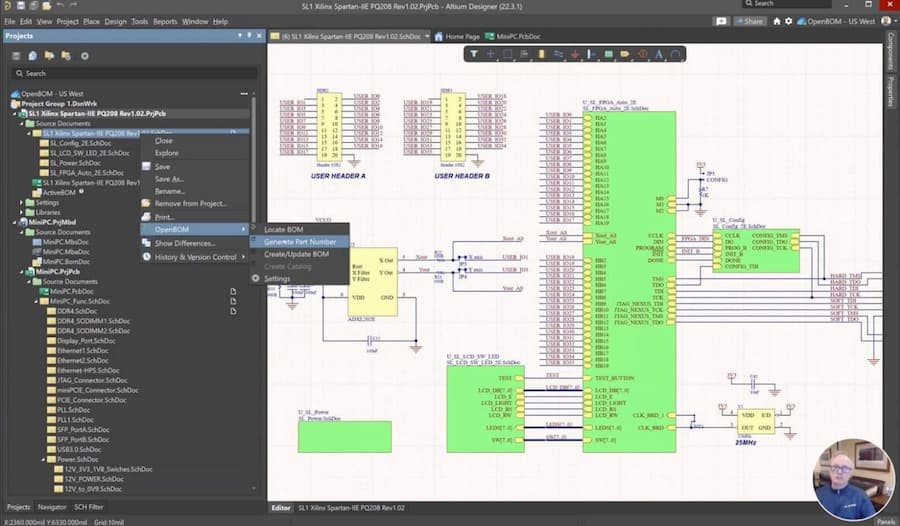
Although CircuitStudio performs well in many aspects, user feedback still shows some shortcomings, such as incompatible shortcut keys and a few cumbersome operations. It is hoped that future versions will address these issues and make the user experience smoother.

