DesignSpark PCB, developed by RS Components, is a completely free PCB design software that not only has an intuitive user interface, but also supports a rich set of features that suit a wide range of needs from beginners to professional engineers. Its unique feature is the provision of an integrated CAD library where users can easily find electronic components. Whether you are developing for a personal project or a commercial product, DesignSpark PCB fuels innovative design and has become an essential tool in the field of electronic design.
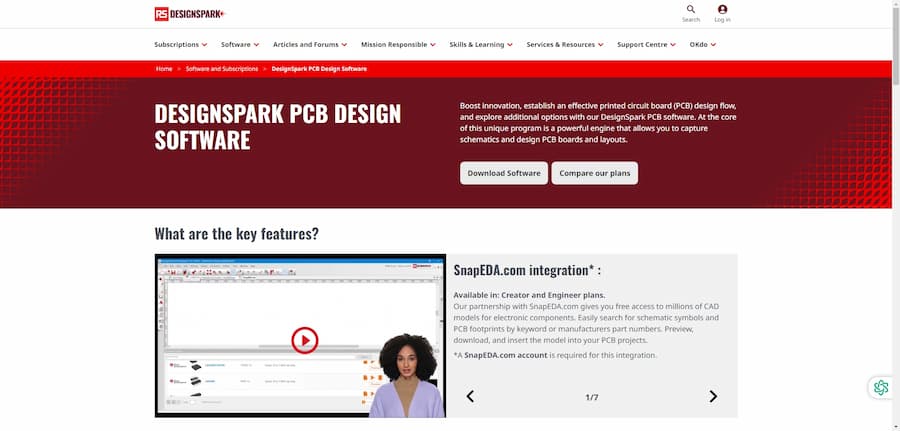
DesignSpark PCB Introduct
DesignSpark PCB is a completely free PCB design software developed by RS Components. It is designed to provide electronic engineers and designers with a powerful design tool to create high-quality printed circuit boards (PCBs). With an intuitive user interface, the software supports a rich set of features that enable users to efficiently accomplish a range of tasks from circuit diagramming to PCB layout. At the same time, DesignSpark PCB offers integrated CAD libraries and a wealth of online resources to help users quickly find the components they need and their specifications. Whether it's a personal project or commercial product development, DesignSpark PCB provides users with consistent support to fuel innovative design.
- Software: DesignSpark PCB
- Cost: Free
- Website: https://www.rs-online.com/designspark/pcb-software
- Launched: The release date of the software is unspecified, but the design software is continuously updated
- Company: RS Components
DesignSpark PCB Features
The core features of DesignSpark PCB software have made it popular in the field of electronic design. The software supports unlimited circuit drawings and PCB layers, which users can easily export to mechanical design software and SPICE simulators. It has built-in Design Rule Checking (DRC) to help users find and fix errors in their designs in time. In addition, the software supports the generation of manufacturing drawings (e.g., Gerber files and BoM) to facilitate production. By integrating with SnapEDA, users can easily access CAD models of millions of electronic assemblies, greatly enhancing design efficiency. Overall, DesignSpark PCB offers a comprehensive toolset that caters to the needs of beginners to professional designers.
- Infinite Circuit Layers.Users can create any number of circuit diagrams and PCB layers to fully meet the needs of complex circuit design.
- Design Rule Check (DRC).Real-time checking of designs for compliance with set rules prevents costly errors in production.
- Generate manufacturing drawings and reports.Automatically generates Gerber files, drill files and bills of materials to simplify production preparation.
- Integration with SnapEDA CAD library.Integration with SnapEDA gives users easy access to millions of component models and improves design efficiency.
- Export to mechanical design software.PCB designs can be exported as 3D models for subsequent mechanical design work.
DesignSpark PCB Turorial
Learning PCB design software, there are always some problems, through some videos or communities, we can solve the problem more quickly, here are a few tutorial sites we prepared for you to learn DesignSpark PCB.
- Learn DesignSpark PCB: This website offers a comprehensive series of DesignSpark PCB tutorials for beginners, intermediate and advanced engineers. Its step-by-step approach makes it easy for every learner to get started and is highly recommended for users who want to learn PCB design!
- PCB Design Tutorial - PCBWay: PCBWay's blog offers a wealth of PCB design tutorials, including how to use Autodesk Eagle software. For users who need to master practical design and file generation, this is an excellent learning resource with detailed content for designers of all levels.
- DesignSpark PCB Video Tutorials: The video tutorials on this site cover the basics and practical aspects of DesignSpark PCB and are ideal for users who are learning visually. The videos are clear and lively and help learners quickly familiarize themselves with the software's features.
- Call for PCB Design Tutorials - PCBWay: The page not only provides the basics of PCB design but also encourages users to participate in contributing. With comprehensive coverage, this is a very friendly place for newbies to learn about the basics of PCB design and is well worth exploring for beginners.
- PCB Basics - SparkFun Learn: SparkFun's PCB Basics tutorial provides beginners with the basic knowledge needed to work with printed circuit boards. It's a great starting point for users interested in electronics and PCB design, with accessible and inspiring content.
DesignSpark PCB Reviews
User reviews of DesignSpark PCB indicate that this PCB design software is widely recognized for its ease of use and power. Many beginners report that the software is easy to get started with, with an intuitive interface that enables them to design complex circuit boards with ease. In addition, DesignSpark PCB provides a powerful 3D model library, enabling users to easily import the required models. This advantage is especially important for designing projects such as the Arduino UNO. However, some users noted that the software lacks simulation capabilities and options for customizing pad patterns, and that the component designer has a steep learning curve. Overall, DesignSpark PCB is a cost-effective tool for all levels of users.
- The software is easy to use.As a beginner, I found DesignSpark Mechanical very easy to get started.
- Powerful 3D libraries.The 3D model library is very powerful and makes it easy to import the required models, perfect for designing my Arduino UNO enclosure.
- Free Download Unlimited.The free license of this software is the biggest advantage compared to other software I have used before, with no commercial restrictions.
- Excellent "stretching" function.I was pleasantly surprised by the "Stretch" feature, which makes it easy to create holes that are perfect for my design needs.
- The software works very well :)I didn't see a lot of useful information before using DesignSpark. It's a great shame, because the software is actually very well designed and powerful, and after learning how to use it I was able to design a very dense 4-layer PCB without any serious problems at all.
- Powerful but needs to be learned :)After a couple months of using it, I know most of the little problems and solutions. However, it would be nice to be able to create custom pad patterns. Design Spark is always being maintained and improved, and RS Components has invested in ongoing support for this.
- No analog function.A complete software for schematic capture, PCB design auto-routing and Gerber file creation, with the disadvantage that there are no analog features.
- Component design is not easy.The Component Designer takes time to understand and build as it is not clearly documented. Measurement tools are also very limited and confusing.
- User-friendly software.Although no software interface is very flashy, the navigation logic is clear and you can easily switch back and forth from schematic to PCB layout.
Articel Comments
In a comprehensive evaluation of DesignSpark PCB, I rated it ★★★★☆. The software excels in terms of functionality and user-friendliness, but there are still some areas that could be improved, such as the lack of simulation features and custom pad options. Overall, it is a recommended tool for professionals and beginners in the field of electronic design.
- Powerful Features.DesignSpark PCB offers a wealth of features to meet complex design needs, including support for unlimited circuit layers, real-time design rule checking, and more.
- Ease of use.The software interface is friendly, novices can get started faster, the operation is intuitive, suitable for all levels of engineers to use.
- Free to use.Compared to other similar software, DesignSpark PCB's completely free policy is very attractive to users, with no commercial use restrictions.
- Abundant resources.The integrated SnapEDA CAD library gives users easy access to models of millions of components, greatly improving design efficiency.
- Updates and Support.The software is constantly being updated and the continued support of RS Components allows users to look forward to future feature extensions.

In summary, DesignSpark PCB has become the software of choice for many electronic designers due to its power and ease of use. It supports unlimited circuit diagrams and PCB layers and offers important design checking and exporting features that make the design process more efficient. Although there is still room for improvement in a few features, designers will be pleased with its constant updates.

