Eagle PCB is a powerful PCB design software developed by Autodesk, specializing in providing comprehensive circuit design tools for electronics engineers and designers. With its intuitive user interface and rich component library, it is suitable for a wide range of users from amateurs to professionals. Whether it is schematic drawing or PCB layout, Eagle PCB can help users to complete the design work efficiently. In this article, we will analyze the main features and learning resources of Eagle PCB in depth.
Eagle PCB Introduct
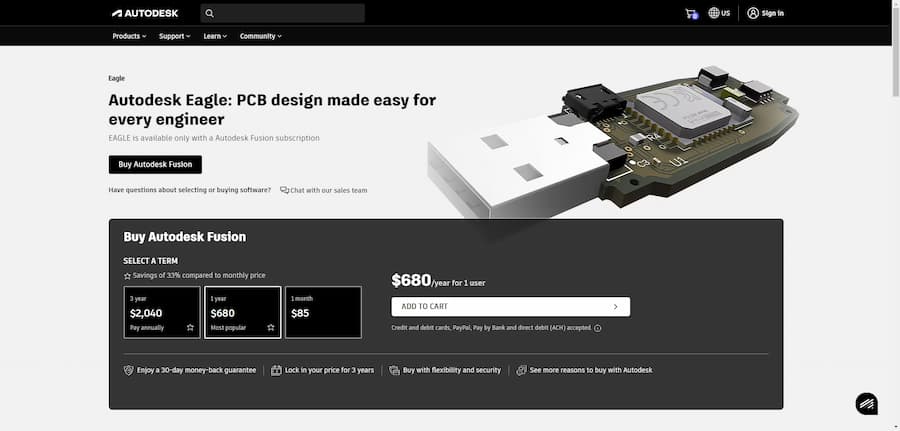
Eagle PCB is a powerful PCB design software developed by Autodesk. Designed for electronics engineers and designers, it provides a comprehensive set of tools for drawing circuit diagrams and designing circuit boards.With support for multiple platforms, Eagle PCB enables users to easily perform schematic design as well as PCB layout, and is suitable for a wide range of users from hobbyists to professional engineers. With its intuitive user interface and rich library support, users can quickly get started and realize efficient circuit design in their projects. With the aid of automation features, Eagle PCB helps users reduce design errors, increase productivity, and make circuit design leaner and faster. In addition, Eagle PCB is supported by a strong community, which provides users with a wealth of resources and communication platforms.
- Software: Eagle PCB
- Cost: Paid
- Website: https://www.autodesk.com/products/eagle
- Launched: 2017
- Company: Autodesk
Eagle PCB Features
The core features of Eagle PCB include powerful circuit design and PCB layout tools, as well as a convenient user interface that makes the design process more efficient. In addition, Eagle provides a rich component library that allows users to quickly find the components they need and supports the creation of custom components. The software's design rule checking function ensures the integrity and reliability of the design and avoids common design errors. At the same time, Eagle PCB has a good import and export function, users can easily collaborate with other CAD software, and can generate high-quality production files.
- Circuit diagram design.Provides intuitive circuit diagram drawing function, allowing users to quickly complete the schematic design.
- PCB Layout.Supports flexible PCB layout, users can freely adjust parts and alignments as needed.
- Design rule check.Built-in design rule checking helps users avoid common mistakes during the design process.
- Extensive component library.Provides a large library of commonly used electronic components, and users can also customize and expand components.
- Powerful import/export.Supports import and export of multiple file formats, facilitating collaborative work with other software.
Eagle PCB Turorial
Learning PCB design software, there are always some problems, through some videos or communities, we can solve the problem more quickly, here are a few tutorial sites we prepared for you to learn Eagle PCB.
- SparkFun Learn - EAGLE Board Layout: This site provides detailed tutorials on EAGLE PCB design, from placing components to routing to generating gerber files for fabrication.Comprehensive and easy to understand, this site is perfect for beginners and users who want to learn EAGLE in depth. Recommended for anyone who needs to learn PCB design in a systematic way.
- SparkFun Learn - EAGLE Schematic: This tutorial from SparkFun focuses on schematic design, a very important step before learning EAGLE. The site is clearly explained and perfect for newbies to understand the schematic building process. I recommend this site to anyone who wants to fully grasp the fundamentals of PCB design.
- Instructables - PCB Creation With Eagle for Beginners: This tutorial provided by Instructables is particularly suitable for beginners and covers the basic use of EAGLE. The detailed steps and friendly style make learning easy and fun. I recommend that beginners start with this site as it is friendly and easy to follow.
- YouTube - Tutorial 1 for Eagle: Schematic Design: This video tutorial is very popular on YouTube, through the visual demonstration to help users quickly get started with EAGLE. suitable for users who like audio-visual learning, you can intuitively understand the use of the software operation, highly recommended for users who want to quickly learn EAGLE.
- YouTube - Tutorial 2 for Eagle: Printed Circuit Board Layout: This is EAGLE's second video tutorial focusing on how to convert schematics into PCB designs. The video is very informative and highly recommended for users who already understand the basic concepts to continue learning in depth. You can visualize the design process through the video.
Eagle PCB Reviews
In the eyes of users, Eagle PCB is a powerful PCB design software that is highly regarded. Users generally reflect that the software's interface is friendly and easy to get started, especially for new users is extremely friendly. In addition, Eagle's automatic wiring function is excellent, can effectively deal with simple circuit design, the layout is relatively reasonable. The modular design feature makes circuit diagrams clearer and facilitates teamwork. Among other things, the active community support enables users to get help quickly when they encounter problems. However, some users would like to add more learning resources to further enhance the experience. Overall, Eagle PCB is a preferred tool for designers with its excellent features and stable performance.
- How to connect Rectangle to Netflix.In Eagle, rectangles don't have names, so they can't be linked directly to the network. However, PCB lines can be drawn on the rectangles to link them.
- Rectangle Link Tip.It is actually possible to connect them by overlaying PCB tracks on the rectangles. Although there will be an overlap error, this can be ignored.
- Solutions using test pads.I placed SMD test pads on rectangular copper pads and connected them to my schematic through the through holes and this looks correct.
- New feature rave reviews.The new version of Eagle brings new design features and an improved autowireer, which we are very pleased with.
- Modular Design Recommendations.The modular design makes the circuit diagrams clearer for easy collaboration and reuse, which is great.
- Excellent performance in automated wiring.The autowireer works brilliantly, especially when dealing with simple circuits that are well laid out and effective.
- The interface has been updated to be more modern.The new UI looks more modern and will be easier for new users to get started.
- Overall Rating.Overall, Eagle remains a powerful PCB design tool with enhanced features that greatly facilitate design work.
- User Friendly.Eagle's interface is relatively easy to use and got me up to speed quickly.
- Powerful Features.Eagle offers a wealth of features that meet my design needs.
- Supporting an active community:Eagle has an active community and any questions are always answered quickly.
- Quality exceeds expectations.I am very pleased with the quality of the PCB I received, all the holes are aligned and the screen printing is very clean.
- Delivery is fast:.I received the PCB two weeks after I ordered it, much faster than I expected.
- Value for money.Cheap, good quality and much cheaper than the boards I have made in the UK.
- Recommended for.I have had several previous purchasing experiences and have been very happy with all of them and highly recommend them to other DIYers.
Articel Comments
After an in-depth analysis of Eagle PCB, I give this software 4 stars (★★★★☆). Eagle PCB is not only powerful and user-friendly, it is suitable for all levels of users. Its rich library support and community help make the design process smoother. However, it is recommended to further enrich the online learning resources to help users improve their skills more smoothly.
- Powerful and flexible.Eagle PCB provides comprehensive circuit design capabilities to meet the needs of a wide range of complex projects, supporting the creation of flexible PCB layouts.
- Friendly user interface.The software's intuitive interface makes it easy for new users to get started quickly, shortening the learning curve and improving design efficiency.
- Community Support Active.Eagle PCB has an active user community for timely support and advice, which is especially important for beginners.
- Extensive component library.The software provides a large number of electronic components library, while supporting user-defined components, greatly facilitating the design needs.
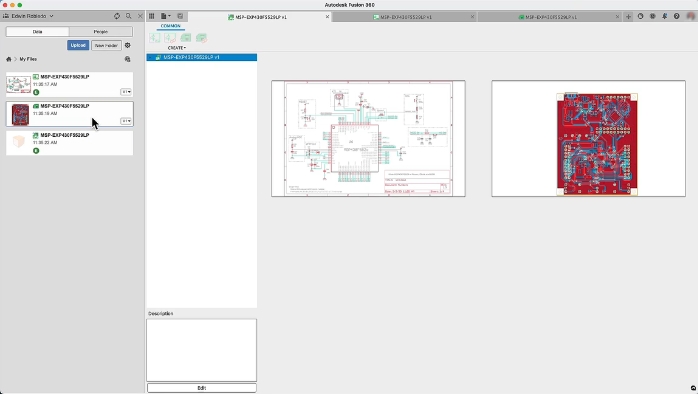
All in all, Eagle PCB, a highly acclaimed PCB design software, has become the right hand of electronic designers with its powerful features and rich community support. It is not only suitable for novices, but also meets the needs of professionals. I hope this article will help you understand the advantages of Eagle PCB and help you in your circuit design.

