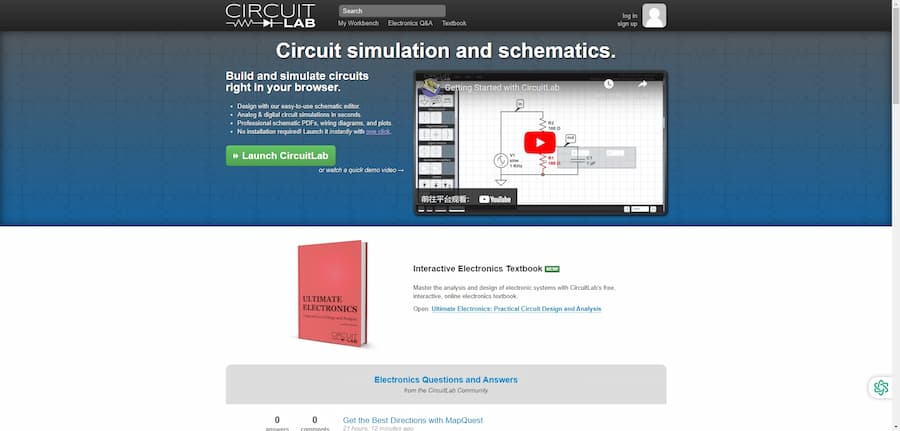
CircuitLab is an online circuit simulator and schematic editor designed to help users design and simulate all types of circuits. The software is completely free, allowing you to start circuit design work directly in your browser without installation, making it ideal for electronics engineers and hobbyists. Its simple and intuitive interface makes circuit simulation and design efficient and easy, while supporting professional output requirements, including high-quality PDF schematics and wiring diagrams.
CircuitLab Introduct
CircuitLab is a powerful online circuit simulator and schematic editor that helps users design and simulate circuits. The software is completely free and allows users to build and simulate circuits directly in the browser, greatly facilitating electronic engineers and hobbyists. Its easy-to-use schematic editor supports fast simulation of analog and digital circuits with one-click startup and no installation required.CircuitLab also generates professional schematic PDFs and wiring diagrams, providing high-quality drawings for design documentation. Its unique Smart Wire technology makes circuit connections easier and more efficient for beginners and professionals.
- Software: CircuitLab
- Cost: Free
- Website: https://www.circuitlab.com/
- Launched: 2013
- Company: CircuitLab, Inc.
CircuitLab Features
CircuitLab has a number of powerful core features that make the design and simulation of electronic circuits easy and efficient. With its intuitive interface, users can perform feature-rich circuit simulations that support fast computation and simulation of both analog and digital circuits, and CircuitLab's mixed-mode circuit simulation allows users to use both analog and digital components in the same circuit, further enhancing design flexibility. In addition, the software has a powerful built-in plotting engine, visual circuit diagram printing and exporting functions, and smart wire technology, which greatly improves the user's work efficiency.
- Online Circuit Simulation.Users can quickly build and simulate circuits in the browser without any installation.
- Professional Schematic Editor.Easily create and edit schematics with support for outputting high-quality PDF, PNG, and other formats.
- Mixed Mode Simulation.Supports simultaneous simulation of analog and digital circuits for complex circuit analysis.
- Smart Wire Technology.Quickly connecting circuit elements via smart wires makes design work more efficient.
- Powerful Drawing Engine.Configure visual multi-signal charts for easy analysis of circuit performance and verification of designs.
CircuitLab Turorial
Learning PCB design software, there are always some problems, through some videos or community, we can solve the problem more quickly, here are a few tutorial sites we prepared for you to learn CircuitLab.
- CircuitLab Tutorials.CircuitLab offers online circuit diagram capture and circuit simulation tools that are perfect for students and electronics enthusiasts. The site's tutorials are clear and easy to understand and help users quickly master circuit design and simulation skills, so it is recommended for anyone wishing to learn circuit design.
- The Ultimate eBook Tutorial.This site offers basic tutorials on circuit diagramming and circuit simulation, perfect for beginners. The content is concise and easy to understand, making it ideal for users who want to learn the basics of electronic circuits.
- CircuitLab Documentation.CircuitLab's official documentation provides a wealth of resources and tutorials, including video and text tutorials, for learners of all levels. Both novice and advanced users can find suitable learning materials for themselves. It is highly recommended for users who wish to learn CircuitLab in depth.
- Liquid Instruments Tutorials.The tutorials on this site focus on transient circuit analysis in electrical engineering and are suitable for students and engineers who want to understand hands-on lab skills. The content is in-depth and practical, enhancing the user's skills in the lab. It is therefore recommended for learners with some basic knowledge.
- IBM Quantum Composer Tutorial.IBM's Quantum Composer provides graphical tutorials on quantum circuits that are innovative and cutting-edge. Suitable for users interested in quantum computing, the intuitive interface allows users to easily understand the construction of quantum gates and circuits, making it ideal for anyone interested in learning about modern computing technology.
CircuitLab Reviews
Feedback from users evaluating CircuitLab leads us to discover that there are many problems with this PCB design software. Users generally feel that the software is not truly free, and that they are asked to pay a high subscription fee once they register, which seems extremely unfriendly to users who want an easy way to get started. In addition, while users generally found the interface to be simple and easy to use, and the editing tools to be intuitive, many expressed disappointment at the lack of documentation support and feature updates, particularly the lack of PCB design features and file import/export options. Meanwhile, development of the software seems to be at a standstill, and the active user community is calling for more support and improvements. Overall, user reviews of CircuitLab show a more negative bias.
- Not worth it, recommend another program :)They try to pretend it's free, but after a few minutes they force you to create an account. Suddenly locked out while working on a complex project.
- It's a total scam.This site is not free at all. After creating a circuit, it will ask you to pay a hefty subscription fee.
- BAD EXPERIENCE.Initially thought I could use it for free, forced to register after I started designing circuits, and then asked to pay in order to continue using it.
- Fraudulent marketing tactics :.When I first signed up I thought I would be able to design circuits and soon found out there was a fee.
- Unreliable.Very disappointed in this company and will be forced to pay a fee after signing up.
- Regarding the development of the software.Developers were struggling to keep CircuitLab up and running and could only develop at night and on weekends.
- Feedback on the book.Many users have given feedback that they would like better starting material, and the text book addresses just that.
- Disappointment with lack of functioning/I am disappointed with the use of the subscription fee and wish the online simulator was updated with more features.
- Community Activity.Despite the seeming stagnation of development, the community still seems to be active.
- User Interface Rating.CircuitLab's editing tools are very intuitive and easy to use, and are the easiest schematic editor I've ever used.
- Easy to learn and use.I started using CircuitLab in February 2012 when it was first released, and while it made progress quickly, it has stagnated since then. Pros are easy to learn and easy to use; great looking circuit diagrams.
- Insufficient documentation support.Lack of documentation support, no ability to import vendor .su side circuit models, and only very limited symbol creation support.
- PCB not supported.Another drawback is that there is no PCB support, and all work done in CircuitLab is completely limited to that platform, with no ability to import or export data.
- CircuitLab is not working properly.I've tried running CircuitLab on various computers, browsers, and in stealth mode, but it never works. Editing an existing schematic jumps to an error page.
- Open Source Recommendations.Perhaps CircuitLab could consider opening up the source code for their now-abandoned tool? That way we could make some small improvements to a tool that hasn't been updated in years.
Articel Comments
All things considered, my rating for CircuitLab is ★★★★☆. Although the software is easy to use and powerful, some major issues, such as fees and lack of necessary documentation support, seriously affect the user experience. I hope its development team will take this feedback seriously and continue to improve the software to increase user stickiness.
- Friendly User Interface.CircuitLab's interface is designed to be simple and straightforward, making it easy for users to get started in the process of circuit design and simulation, especially for beginners.
- Powerful Features.The software supports mixed-mode simulation and high-quality output to meet the needs of multi-scenario circuit design, and is one of the essential tools for electronic engineers.
- Fee issues.Despite claiming to be free, the actual use of the program requires users to pay a fee, which deteriorates the experience for those who wish to simply get started and creates user dissatisfaction.
- Lack of documentation support.The software's documentation support is relatively inadequate, and users feel overwhelmed when solving specific problems or learning in depth, resulting in a steep learning curve.
- PCB design not included.Although it is convenient for circuit simulation, it lacks PCB design function, users can only complete the project within the platform, and it lacks the flexibility of importing and exporting data, which limits the scope of use.
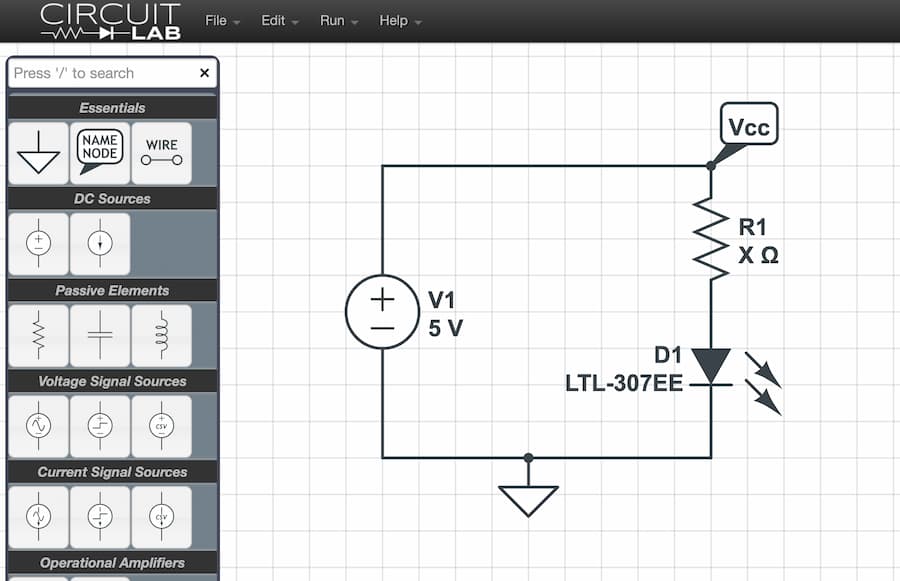
Despite its feature-rich approach to circuit design and simulation, CircuitLab has faced a number of user feedback issues, especially those involving fees and feature limitations. When comparing other circuit simulation tools, CurveLab, despite its advantages, needs to continuously improve the user experience to better meet market demands.

