PCB123 is a PCB design tool developed by Sunstone Circuits, which can be used and downloaded free of charge, and you need to pay only if you successfully design a PCB.PCB123 is powerful and contains professional features such as PCB layout, BOM management, real-time design rule checking, etc., which is favored by advertised PCB designs.PCB123 is not only powerful, its Design of the user interface is also very user-friendly, whether it is a professional PCB designers or enthusiasts, can quickly get started with this software. These software design tools are numerous, can support PCB from design to production of the interface, PCB123 also built-in order function, so that from design to production can be more efficient and convenient.
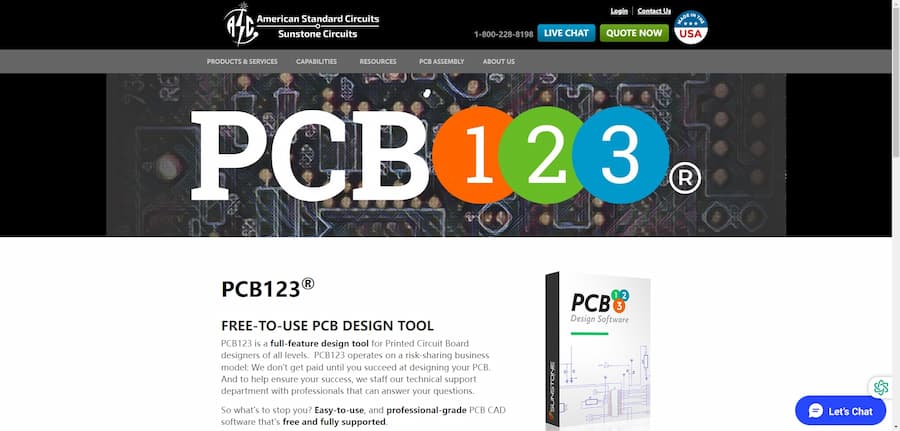
PCB123 Software Overview
- Software Name: PCB123
- Official website: PCB123
- Release Time: 2002
- Cost: Free to use with integrated manufacturing options
- Operating platform: Windows
PCB123 Core Features
As a professional PCB design software, PCB123 not only provides basic functions, but also features such as schematic capture and real-time design rule checking, which can effectively improve design efficiency. Below, we list 7 core design features of PCB123.
- Component library integration with SnapEDA, SnapEDA has millions of verified components, when we add new components and build libraries, can simplify the process, you can quickly create a BOM, for freeing up our hands, saving the manual creation of components, reducing the workload.
- Schematic Capture: Using PCB123 to create and edit schematics will make the operation easier and support synchronized updates, reducing the risk of errors in schematic and layout views.
- Flexible routing: If we have specific custom functions, we can use PCB123 to manually route the wires, of course, it also provides automatic routing functions to better optimize the alignment design.
- 3D Rendering: With 3D rendering function, we can check the PCB boards before PCB production to see if there are any errors in alignment and layout, which is convenient to minimize the loss caused by the later production process.
- Rule checking: Real-time design rule checking, also known as DRC. the DRC function can mark the problem in real-time when there is an error in the design, checking whether the design is a bath conflict or violation, which is convenient to improve the accuracy of PCB design.
- Order Integration: As part of Sunstone's software, PCB123 integrates an “Order” button that allows users to seamlessly transition from design to manufacturing with Sunstone Circuits, while providing options for prototype and production levels. The following are some of the options available
- Manufacturing Options: PCB123 supports a wide range of board specifications, including different thicknesses, tighter tolerances, special copper thicknesses, and complex cutouts for sophisticated designs, ideal for advanced R&D and specific applications.
PCB123 Usage Tutorial
Learning to use PCB123 design software, and indispensable, we have to find some learning community and resources, in addition to the official PCB123 tutorials provided by the video and community, but also can help us solve the problem in a timely manner, the following, we list a few often PCB123 use tutorial channels:
- PCB123 Tutorials - Sunstone Circuits : Sunstone Circuits provides detailed tutorials to help users through the New Board Wizard to set up basic parameters. The pages start with a design primer for beginners to get started quickly and cover the basic operation of PCB123, which is an official learning resource.
- PCB123 Tutorials - YouTube : This playlist contains 21 video tutorials for PCB123, explaining everything from basic operation to advanced features. These videos are suitable for users who want to learn through video, with lively explanations and comprehensive coverage, making them a great learning resource for both beginners and experienced users.
- PCB123 Printed Circuit Board Design Manuals - Sunstone Circuits : Sunstone The official user manual download page provided by Sunstone contains detailed operating manuals for the PCB123. These manuals systematically introduce every aspect of the PCB design process and are the main source for understanding the core functions of the software for those who need to learn more.
- Download free PCB123 libraries for millions of electronic components - SnapEDA : This page provides PCB123's This page provides PCB123 libraries for download, users can access millions of electronic components symbols and packages, which can be directly applied to the design, and facilitate users to quickly build the BOM (Bill of Materials). This resource is ideal for users who need a wider selection of components and is an important tool for design library management.
- PCB123 Software - PCB Layout Software - PCBway : PCBWay gives PCB123 a brief introduction, describing its advantages as PCB layout design software. The content of the page is more oriented towards software reviews, but it is also helpful in understanding the basic functionality of PCB123 and the featured aspects of the design software.
These resources cover all aspects of PCB123, from basic operations, detailed manuals, and component library resources, helping users to choose the right learning material for their needs.
PCB123 Tips
The use of shortcut keys can save us a lot of time in operation. Below we will introduce a few very useful shortcut keys.
- [NAME1, NAME2, NAME3, ...] - Disjointed list. A list of names separated by commas will expand once for each name when placing consecutive objects. Example.
INTENS_[RED,GREEN,BLUE] expands for the next three items as:INTENS_RED, INTENS_GREEN, INTENS_BLUE.
- [#:#(:#)] - Numeric Range. two numbers separated by a colon (:) denote an inclusive sequential range. if a third number is supplied, then it is the increment, or it is the increment, or it is the increment that is not supplied, or it is the increment that is not supplied. If a third number is supplied, then it is the increment, or step, to be used when generating the sequence. Example.
ADDR[3:0] expands for the next 4 items as:ADDR3, ADDR2, ADDR1, ADDR0.
PCB123 User Reviews
PCB123 is a great design software that has gained popularity, let's see what users are saying about PCB123. Below are a few reviews of PCB123 software that will help us understand the main opinions and experiences of users of this software:
- PCBShopper: PCB123 is easy to design, easy to get started, and supports both automatic and manual wiring for flexible PCB design needs. Although some manual operation is required, users found the software to be very efficient in its overall use.
- RayPCB: The main advantage of PCB123 is its low cost and high quality output, but it is not fully compatible with other high-end software such as Altium Designer and requires additional software support. Still, the software is cost-effective for budget-sensitive projects.
- Softpedia: PCB123 for a free PCB design tools, support for Gerber and Netlist files, including board design wizard, suitable for novice users. The overall interface and operation process is relatively simple, but the function is relatively more suitable for small design projects.
- PCBway: “one of the best free PCB design software on the market”, especially noted The software's real-time BOM feature simplifies the material management process. Also mentions that the software has been updated to improve stability and user experience.
- Sunstone Circuits - Schematic Reference: PCB123's ease of use for schematic editing. Many users like its ability to synchronize schematic and PCB design updates, citing this as aiding in quick iterative design while also reducing the likelihood of design errors.
RATING: ★★★★☆ (4/5)
PCB123 is a cost-effective PCB design tool for beginners, electronics engineers and creators. Its free to use, rich features and one-stop-shopping for production make it an excellent performer among PCB design software. Despite some compatibility issues, its overall design experience and learning resources still make it a good choice.
- Feature-rich: PCB123 offers powerful design features such as real-time design rule checking, 3D rendering, and automatic and manual routing for complex PCB design needs. In particular, the real-time BOM functionality and schematic capture makes the design process smoother and reduces the possibility of errors, making CB123 very popular with users CB123 is available free of charge and is paid only at the time of production, a model that is very friendly to users with limited budgets. The software integrates with Sunstone's ordering service, allowing users to move directly from design to production, and from prototyping to manufacturing with ease.
- Learning resources abound The tutorials and manuals provided, as well as video guides on YouTube, make PCB123 easy to get started and master. Whether you're a beginner or an experienced engineer, you'll find the right learning materials .
- Limited compatibility: Despite PCB123's, its compatibility with other high-end software (such as Altium Designer) is relatively limited and does not allow for full integration. Users may require additional software support to fulfill specific project requirements.
- User Interface Friendly: PCB123 is suitable for novices to get started quickly, but also meets the complex design needs of professional users, and has received favorable reviews from many users .
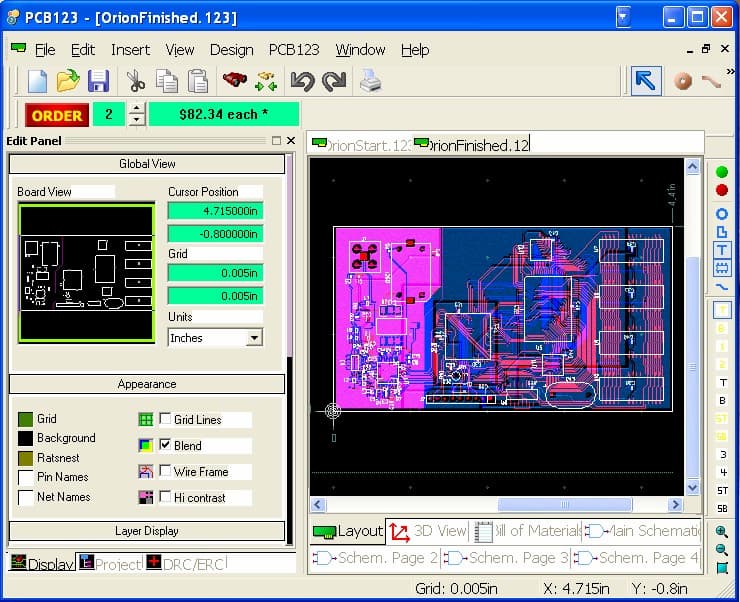
PCB123 belongs to the company Sunstone was founded in 1972, which means that they have accumulated more than 50 years of experience in this field, PCB123 has a good reputation in the market, using PCB123 can also be submitted to the order, Sunstone provides a full process from design to production services. For rapid prototyping to production can, PCB123 is a good design software.

