Decoding CADSTAR Price: A Comprehensive Guide for PCB Designers
2025.01.10
In the fast-paced world of PCB design, selecting the right software is crucial. CADSTAR, a robust tool from Zuken, is a popular choice. But navigating the options and understanding the CADSTAR price can be daunting. This article will demystify the pricing structure, explore available bundles, and help you determine the most cost-effective solution for your design needs. We'll explore how this advanced tool can streamline your workflow from concept to production, all while keeping budget considerations in mind.
Understanding the CADSTAR Pricing Model
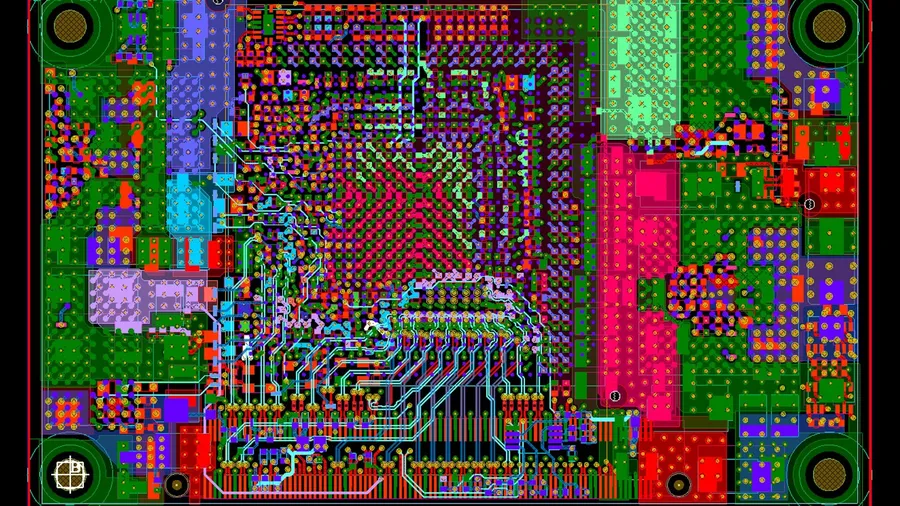
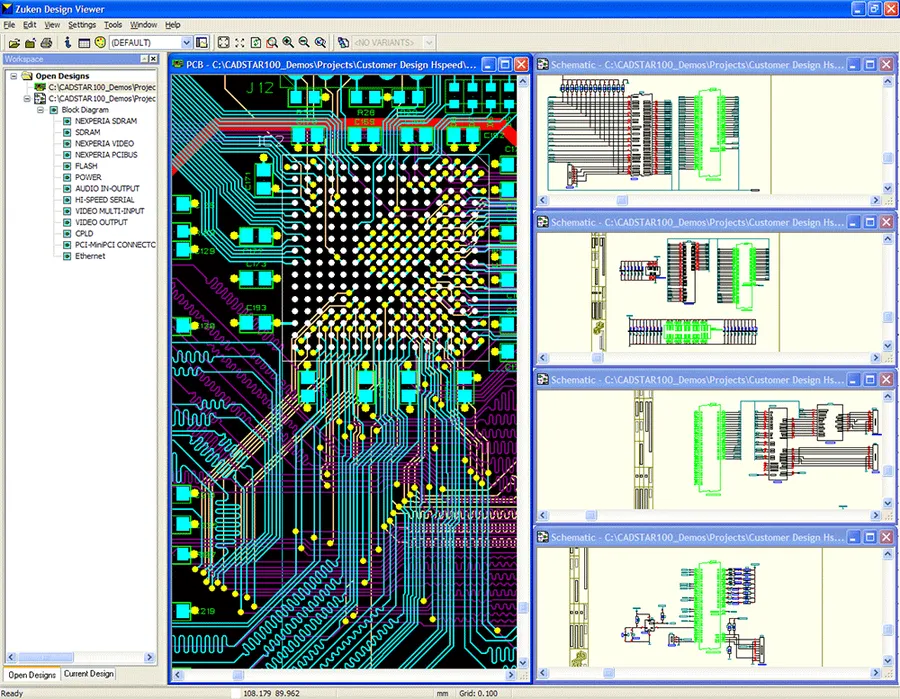
CADSTAR software interface
CADSTAR's pricing structure is based on a bundled system, where various features and capabilities are grouped into distinct packages, impacting the overall cost. Unlike a la carte software purchasing, this approach means the price you pay is determined by the specific bundle you choose, rather than the individual features you may require. This model offers a balance between providing a range of functionality at different price points and incentivizing users to select packages that best meet their needs.
CADSTAR Bundles: A Detailed Look
CADSTAR software modules
CADSTAR's pricing structure is primarily based on a tiered bundling system, offering various combinations of features and functionalities tailored to different user needs and project complexities. Understanding these bundles is crucial for selecting the most cost-effective solution for your PCB design requirements. The primary bundles available include 'Professional', 'Basic', and 'Lite', with each providing a distinct range of capabilities.
Small businesses, educational users, very low complexity projects.
Lowest price point.
Each CADSTAR bundle is designed to address specific needs, offering a balance between functionality and cost. The 'Professional' bundle, while the most expensive, provides the most comprehensive suite of tools, including advanced high-speed routing capabilities and extensive simulation features. In contrast, the 'Lite' bundle offers a streamlined set of tools suitable for simpler designs and basic usage scenarios, at a much lower cost. The 'Basic' bundle provides a middle ground with key capabilities for small to medium projects. The feature set contained in each bundle has a direct impact on the overall capabilities and the final cost of the software package. It is therefore essential to select the correct package to minimize costs and maximize efficiency.
Key Features that Influence CADSTAR Price
PCB component library
The price of CADSTAR is directly influenced by the specific features included within each software bundle. Understanding these features is crucial for PCB designers to select the most cost-effective solution for their project requirements. Advanced capabilities, such as those needed for high-density interconnect (HDI) and high-speed design, command higher prices due to their complexity and the specialized functionality they offer.
Advanced Layout Capabilities Features like blind and buried via support, microvia creation, and advanced routing tools for complex HDI designs contribute to increased costs. These capabilities are essential for miniaturized and high-density boards.
High-Speed Design Features The availability of tools for signal integrity analysis, impedance control, and differential pair routing significantly impacts pricing. These features are crucial for ensuring reliable performance in high-speed digital and RF designs.
Signal Integrity Analysis The ability to simulate and analyze signal behavior is another cost driver. This capability is crucial for boards operating at higher clock speeds, and for high frequency RF circuits.
Library Management Advanced library management systems that allow for component parameter management and lifecycle tracking, impact the overall price, and are often critical for larger teams and complex projects.
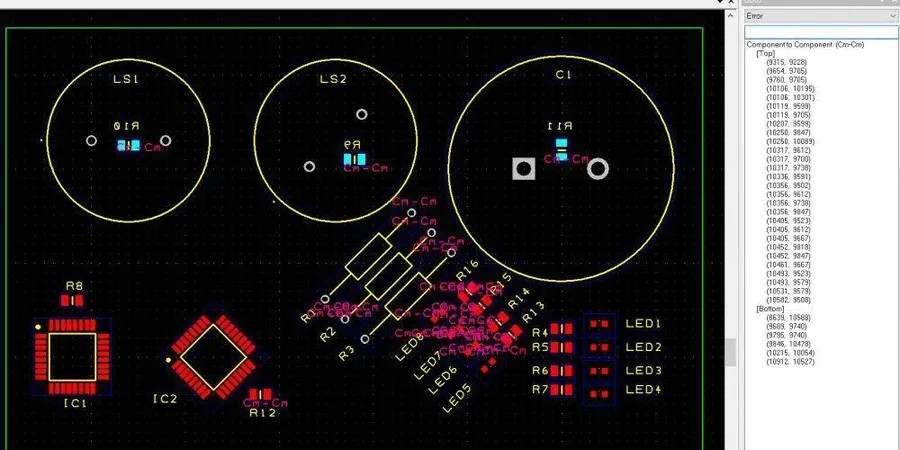
Design Rule Checking Comprehensive design rule checks (DRC) are critical for error reduction and manufacturing success. The level of customization, depth, and number of checks available also influences CADSTAR's price.
Variant Management The ability to efficiently create and manage different variants of a board with different parts (but same layout), impacts price. This is important for product families with slightly differing BOMs (Bill Of Materials).
The inclusion of these features in different bundles allows Zuken to cater to a variety of users, from those requiring basic functionality to those engaged in complex, high-performance PCB design. It also means that there is a direct trade off of price versus capability. Therefore, carefully considering the necessary features is critical for PCB designers to ensure they get the best value.
CADSTAR Pricing: What to Expect
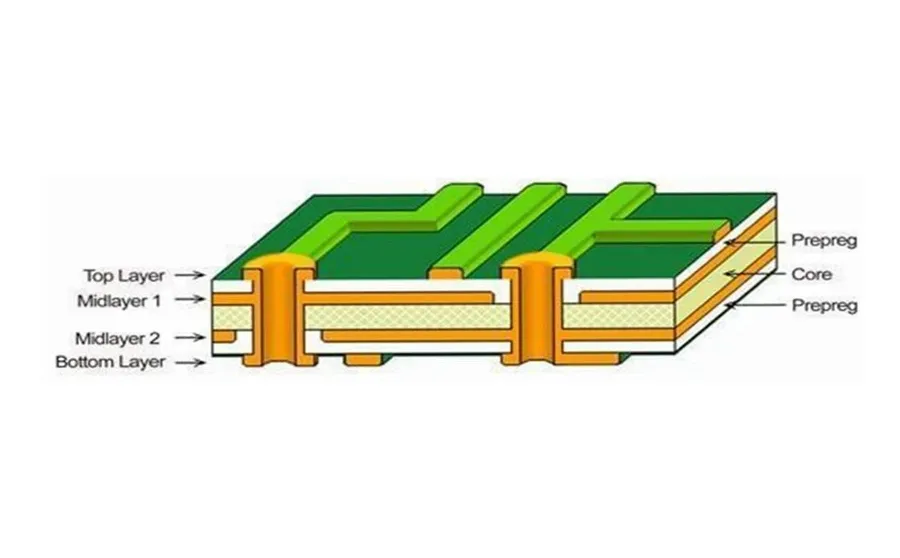
PCB design with layers
Understanding CADSTAR pricing requires recognizing that it is not a single price point, but rather a range influenced by the specific software bundle selected. These bundles, which include varying degrees of functionality, directly correlate with the final cost. Given the dynamic nature of software pricing, this section will focus on providing a general understanding of expected costs, rather than specific price quotes, and will highlight strategies for finding potential cost savings.
It is important to note that actual prices can vary significantly depending on region, the reseller, and any specific promotions or discounts that might be available, it's always best to consult directly with Zuken or authorized resellers for the most accurate quotes.
CADSTAR Bundle
Typical User Profile
General Price Range
Key Features
Notes
CADSTAR Lite
Individual designers, small projects.
Lowest entry cost
Basic schematic and PCB design tools.
A good place to start for hobbyists or those with limited needs.
CADSTAR Basic
Small to medium-sized businesses.
Mid-range pricing
Enhanced features including more complex layout tools.
Provides a robust tool set for most design tasks.
CADSTAR Professional
Large teams and advanced projects.
Highest cost
Advanced capabilities including high speed design tools.
Provides the full power of the CADSTAR environment for very complex designs.
Beyond the core bundles, CADSTAR pricing can also be impacted by optional add-on modules. These include signal integrity analysis tools, advanced routing options, and enhanced library management. These add-ons can increase the overall cost but also provide significant value by streamlining specific design processes and improve the design quality.
When considering costs, remember to include not only the initial purchase price but also any ongoing maintenance or subscription fees, where applicable. These recurrent costs are often linked to receiving software updates, technical support and upgrades. Planning for these expenses is crucial for accurate long term budget forecasting.
CADSTAR vs. Competitors: A Pricing Comparison
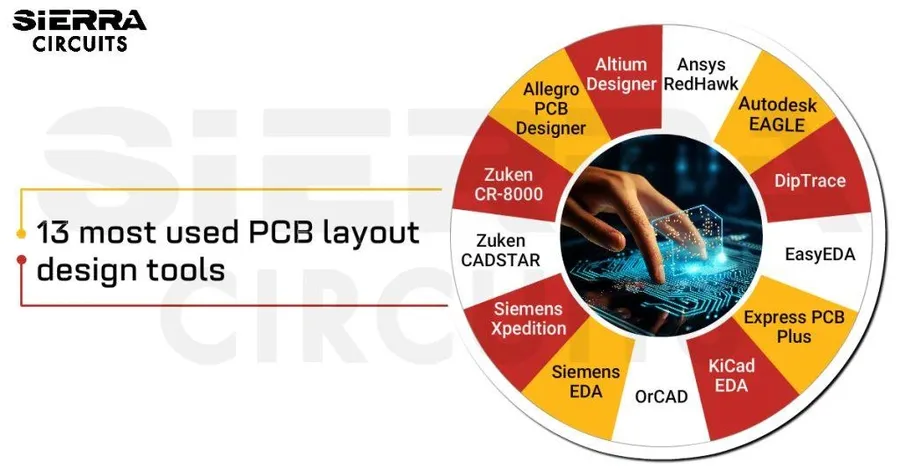
Comparison of PCB design software
Understanding the competitive landscape is crucial when evaluating CADSTAR's cost-effectiveness. This section compares CADSTAR's pricing and features with leading PCB design software, notably Altium Designer, providing a clear perspective on its value proposition. While direct pricing comparisons can be challenging due to varied licensing models and bundle options, this analysis focuses on feature parity and typical price ranges to aid in informed decision-making.
Feature
CADSTAR
Altium Designer
Notes
Schematic Capture
Comprehensive
Comprehensive
Both offer robust tools for schematic design.
PCB Layout
Advanced, including HDI
Advanced, including HDI
Both support complex PCB layouts. CADSTAR offers a more modular approach.
Signal Integrity Analysis
Optional Add-On
Integrated
Signal integrity analysis may incur an extra cost with CADSTAR
3D Visualization
Integrated
Integrated
Both offer 3D visualization to assist with design process.
Library Management
Advanced, but less centralized
Advanced, centralized
Altium has a centralized approach to library management.
Ease of Use
Moderate Learning Curve
Moderate Learning Curve
Both require a learning investment, user interface preferences vary
Typical Price Range
Mid-Range
High-End
CADSTAR is positioned in the mid range but bundle selected is crucial
Licensing Options
Perpetual and Subscription
Subscription Based
CADSTAR is available with a perpetual license in addition to a subscription.
Frequently Asked Questions About CADSTAR Pricing and Features
This section addresses common questions regarding CADSTAR, focusing on pricing, capabilities, and comparisons with other software. Our goal is to provide clear and concise answers to help you make informed decisions.
Is CADSTAR Free? No, CADSTAR is not free. It is a commercial PCB design software that requires a license. Zuken, the software's developer, offers different licensing options and bundles, each with its associated cost. There may be free trials or student versions available, but these are time-limited or have restricted capabilities.
What is the typical price range for CADSTAR? CADSTAR pricing varies considerably based on the chosen bundle and license type. A 'Lite' bundle, for example, will cost less than the 'Professional' version. It is best to obtain a direct quote from Zuken or their official resellers to receive the most current and accurate pricing for your specific needs and usage requirements.
Is Zuken better than Altium? The question of which software is 'better' is subjective and depends heavily on the user's specific needs and preferences. Both Zuken CADSTAR and Altium Designer are robust PCB design tools with their own unique strengths and weaknesses. CADSTAR is often favored for its powerful routing capabilities and integration with other Zuken products, while Altium Designer is generally lauded for its user-friendly interface and extensive component library. The best choice is the one that best fits your workflow, features requirements, and budget.
Can I get a trial version of CADSTAR? Yes, Zuken often provides trial versions of CADSTAR, which can be an effective way to evaluate the software and its capabilities, or determine which bundle is best suited to your needs. Contact Zuken directly or visit their website to inquire about the availability of a trial license, and make sure you have a clear set of evaluation criteria to test the software's suitability for your specific design needs.
What are the different CADSTAR bundles? CADSTAR offers multiple bundles including 'Lite,' 'Basic,' and 'Professional,' each with varying degrees of functionality. The 'Lite' version is intended for simpler PCB design requirements, while 'Professional' is suitable for highly complex, high-density, high-speed designs. The selection of a bundle should align with the project’s complexity and necessary features.
What are the license options for CADSTAR? CADSTAR licensing options typically include perpetual licenses (one-time purchase) and subscription-based licenses, which are renewed annually or periodically. Zuken also offers different license types, such as node-locked (tied to a specific machine) and floating licenses (accessible across a network), depending on your organization's requirements. You can select the license that best suits your business’s infrastructure and purchasing approach.
Does CADSTAR offer volume discounts? Zuken may offer volume discounts for multiple licenses. It’s advisable to consult with a Zuken sales representative or authorized reseller to discuss pricing options for organizations that need multiple seats of the software. Discounts may also be offered to educational institutions or under special circumstances.
Where to Buy CADSTAR: Options & Considerations
CADSTAR reseller
Purchasing CADSTAR involves navigating a network of official resellers and online platforms. Understanding these options, potential discounts, and key considerations is crucial for a cost-effective acquisition. This section provides guidance to make informed purchase decisions.
Official Zuken Resellers Zuken utilizes a network of authorized resellers who are trained and certified to sell and support CADSTAR. Purchasing through official channels ensures the legitimacy of the software and grants access to the manufacturer's support and updates. These resellers also have the benefit of providing local language and knowledge of the nuances of your region.
Online Platforms While less common, some online platforms may list CADSTAR licenses or subscription options. Exercise caution when purchasing from online sources, verifying their legitimacy by checking for Zuken certifications. Pricing should be in line with official reseller pricing - be wary of unusually cheap options as these may indicate pirated software.
Potential Discounts and Special Offers Discounts on CADSTAR software can occasionally be secured through various promotions, or if you are a start-up. Common scenarios include bundle deals, educational discounts, or time limited offers. Monitor Zuken’s official channels and authorized resellers to capture special offers. Ensure terms and conditions are understood before purchase.
Checklist of Considerations Before Purchase Before finalizing your CADSTAR purchase, consider these factors to ensure you get the best value and fit for your specific needs:
* **Project Requirements:** Match the specific features in each bundle to your project complexity.
* **Scalability:** Consider future team size and project expansion. Ensure your license model accommodates growth.
* **Support Needs:** Assess the level of support needed. Some bundles offer enhanced support as part of the package.
* **Payment Options:** Discuss payment options with resellers and ensure you are comfortable with the payment terms.
* **Training:** Inquire about training options offered by the vendor.
* **Trial versions:** Where possible use a trial version of the software to evaluate if the functionality and user interface meet your needs before making a financial commitment.
* **License type:** Are you looking for a subscription or a perpetual license? Understand the difference in cost and terms between these options.
Making the Right Choice for your Budget and Needs
Selecting the appropriate CADSTAR bundle is crucial for optimizing both cost and functionality, directly impacting project efficiency and profitability. This section provides practical guidance on aligning your CADSTAR purchase with your specific project requirements and financial constraints, ensuring you avoid overspending on unnecessary features or being limited by insufficient capabilities. Careful consideration of project complexity, team size, and future scalability needs will ensure that the chosen CADSTAR configuration will meet your immediate and long term goals.
Assess Project Complexity Evaluate the complexity of your PCB designs. Simple, single-layer boards might be efficiently handled by the 'Basic' or 'Lite' bundles, while more complex, multi-layer, or high-speed designs would necessitate the 'Professional' bundle with its advanced capabilities. Consider your current and future design needs.
Analyze Feature Requirements Identify the essential features for your projects. Do you need advanced routing capabilities, signal integrity analysis, or complex library management? The professional version of CADSTAR has all the features. If cost is a primary driver, you need to carefully weigh which features are essential versus the potential impact of limitations.
Consider Scalability Plan for future growth. If your team or project complexity is likely to increase, selecting a more comprehensive bundle will prevent you from having to purchase additional modules or upgrades. Also consider if you may need multiple licenses to support collaborative workflows.
Budget Allocation Establish a clear budget for your PCB design software. Compare the costs of each CADSTAR bundle to see how they align with your budget. Note, that in many cases the professional version provides the most features for the lowest price, if all features are essential, so simply buying a lower level version to save money may be more costly in the long run.
Multiple License Planning When multiple licenses are required, it's important to contact Zuken or your vendor for volume discounts. The cost of individual licenses can often be reduced by purchasing multi-seat agreements, team or site licenses. Also if you are a larger company, you should also explore enterprise-wide agreements for further cost reduction and standardization.
Trial Periods and Demos Take advantage of any trial periods or demonstrations available before making a commitment. This will allow your team to test the functionality of each bundle, assess its suitability for your projects, and confirm its alignment with your needs. Many vendors offer personalized demonstrations which can clarify if a bundle meets your requirements.
Training and Support Consider any training and support costs in addition to the software purchase. Bundled options can sometimes include support subscriptions which are a major cost consideration for ongoing business operations. A lack of support can create a major drag on productivity for a team.
CADSTAR Software Support and Resources
A crucial aspect of evaluating the total cost of CADSTAR is the availability and quality of its support and resources. Zuken, the developer of CADSTAR, provides a range of support options, along with a number of third party resources to assist users in maximizing their productivity and reducing design risks.
Zuken Official Support Channels: Zuken provides direct support through various channels, including dedicated customer support teams, online help documentation, knowledge bases, and user forums. These are the primary support resources to get assistance with technical issues, software bugs, and licensing problems.
CADSTAR Online Documentation: Zuken provides a comprehensive suite of online documentation, including user manuals, tutorials, and API references. This online resource is often updated and is available for all CADSTAR license holders. These should be the first place to check when looking for solutions for design or functional problems.
Third-Party Support and Training: A range of third-party vendors and consultants offer specialized training programs, support services, and custom design solutions for CADSTAR. These resources are useful for users who require custom tailored workflows, or require additional assistance in high-density and complex PCB designs. These third parties often provide local support in multiple languages.
Community Forums: Active user communities and forums are available to share tips, solve problems, and offer guidance. These forums can help to find alternative solutions, and can quickly get you past simple roadblocks. Experienced users often are on hand to answer questions.
Software Updates and Maintenance: Active maintenance contracts include regular software updates, which are critical for stability, and access to new features. These updates often include bug fixes and optimizations that improve overall performance of the CADSTAR suite.
Understanding the CADSTAR price is essential for effective PCB design planning. CADSTAR offers a range of bundles, each tailored to different needs and budgets. By carefully considering your project requirements, comparing features and prices, and exploring purchase options, you can choose a cost-effective solution that enhances your design process. This article has provided clarity on CADSTAR's pricing model and offered guidance for making informed decisions that maximize your return on investment in this powerful PCB design software. Remember to check current prices before committing to a specific license or bundle as they do change and vary depending on region.