Unlock Seamless PCB Design with Altium 365: A Comprehensive Guide
2025.01.21
In today's fast-paced electronics industry, efficient collaboration and seamless data management are crucial. Altium 365, a cloud-based platform, emerges as a game-changer, transforming how PCB design teams work. This article delves into the core features, benefits, and functionalities of Altium 365, showcasing how it elevates the entire electronics product development process, making it more connected, secure, and accessible. Whether you're a seasoned professional or new to the field, understanding Altium 365 is key to staying ahead.
What is Altium 365?
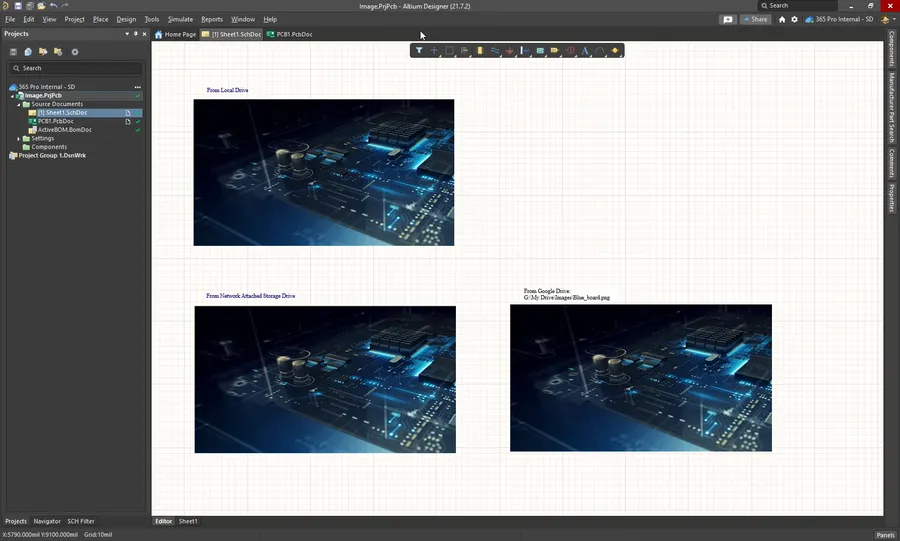
Altium 365 software interface
Altium 365 is a cloud-based platform engineered to unify the electronic product development process. It serves as a comprehensive ecosystem, integrating PCB design, collaborative workflows, data management, and project sharing into a single, accessible environment. This platform transcends traditional limitations by providing a connected experience for engineering teams, regardless of their geographic location.
At its core, Altium 365 facilitates a seamless and efficient development lifecycle for electronic products. By moving away from isolated, desktop-centric approaches, Altium 365 introduces a collaborative, real-time, and secure methodology for managing the entire process from concept to manufacturing.
Key Features and Benefits of Altium 365
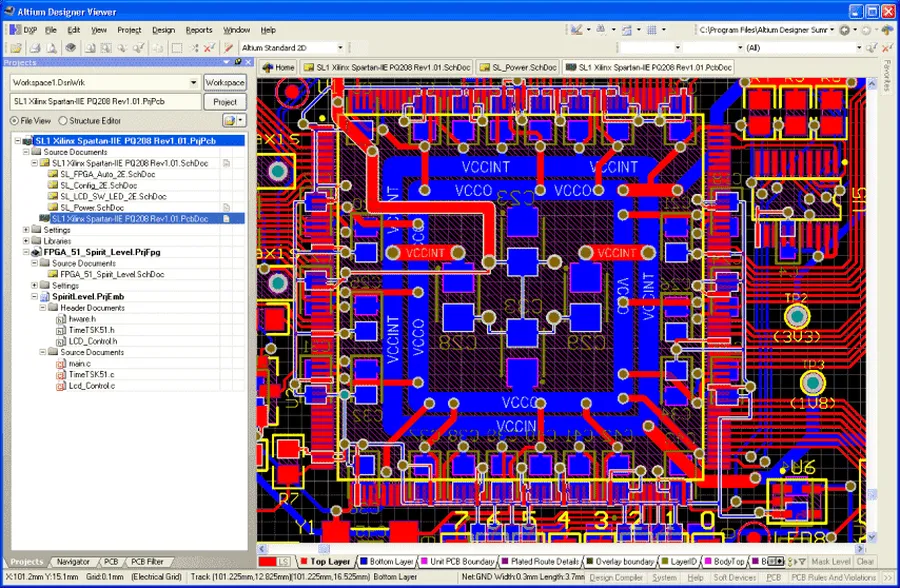
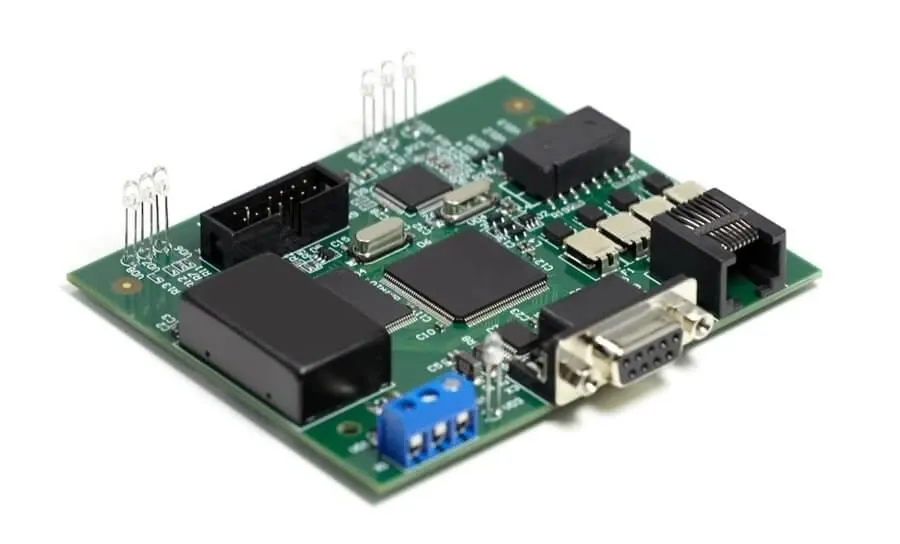
PCB design software
Altium 365 revolutionizes PCB design by offering a suite of core functionalities that significantly enhance the development process. These features, including real-time collaboration, robust version control, secure cloud-based data storage, and seamless integration with Altium Designer, address the common pain points of traditional PCB design workflows, leading to increased efficiency and better product outcomes.
Real-time Collaboration Enables multiple team members to work on the same design simultaneously, fostering dynamic interaction and accelerating project completion. This reduces the risk of design conflicts and enhances overall teamwork.
Version Control Provides a robust system to track changes, revert to previous design states, and manage the evolution of the project. This feature is critical for preventing data loss and ensuring design integrity.
Secure Data Storage Offers a centralized, cloud-based location for all design data, accessible from anywhere, with security measures in place to protect sensitive information. This eliminates the need for localized servers and enhances data security.
Seamless Altium Designer Integration Works cohesively with Altium Designer, ensuring that designers can easily transition between the desktop design environment and the cloud-based collaborative space. This integration facilitates a continuous workflow.
Enhanced Communication Tools Features integrated communication tools, such as commenting and notifications, that improve information flow and keep all stakeholders informed about project updates. This mitigates the chance of misunderstandings and delays.
Accessibility Allows access to projects and data from any device with an internet connection. This means engineers can continue their work regardless of location, facilitating remote work and global collaborations.
Real-Time Collaboration with Altium 365
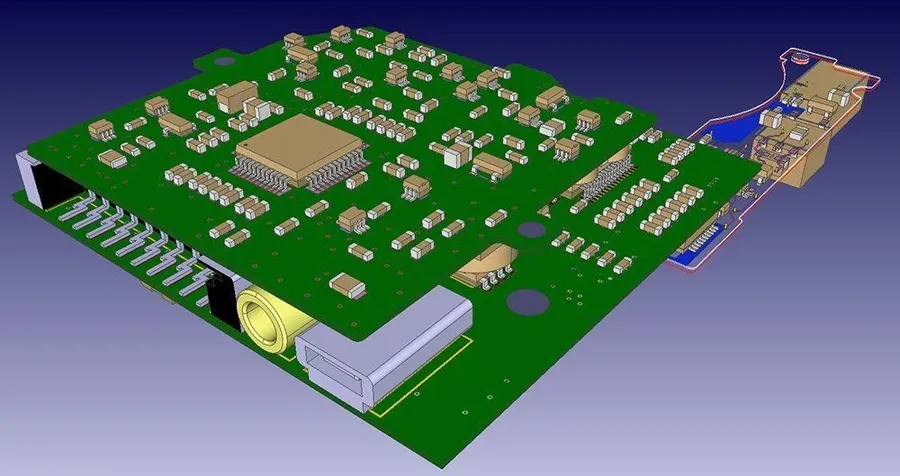
Collaborative PCB design
Altium 365 revolutionizes PCB design by enabling real-time collaboration, allowing multiple team members to work on the same project concurrently. This capability significantly reduces design bottlenecks and streamlines workflows, facilitating faster and more efficient product development cycles. The platform provides a unified environment where engineers can collaboratively design, review, and manage PCB projects.
The benefits of real-time collaboration extend to concurrent design reviews, immediate feedback through comments and notifications, and enhanced version control, ensuring a more cohesive and productive team environment. This is especially vital for complex projects requiring input from multiple disciplines.
Concurrent Design and Review Multiple engineers can work on different aspects of the same design simultaneously, eliminating the need for sequential design workflows. This allows for faster design iterations, accelerating the overall product development timeline.
Integrated Communication Altium 365 provides a built-in commenting system allowing team members to provide immediate feedback on specific design areas. Notifications ensure that all collaborators are informed about design changes or required actions, improving communication and coordination.
Reduced Design Cycle Time The parallel design capabilities of Altium 365 significantly reduce design cycle time by removing common bottlenecks associated with traditional sequential design processes.
Data Management and Version Control
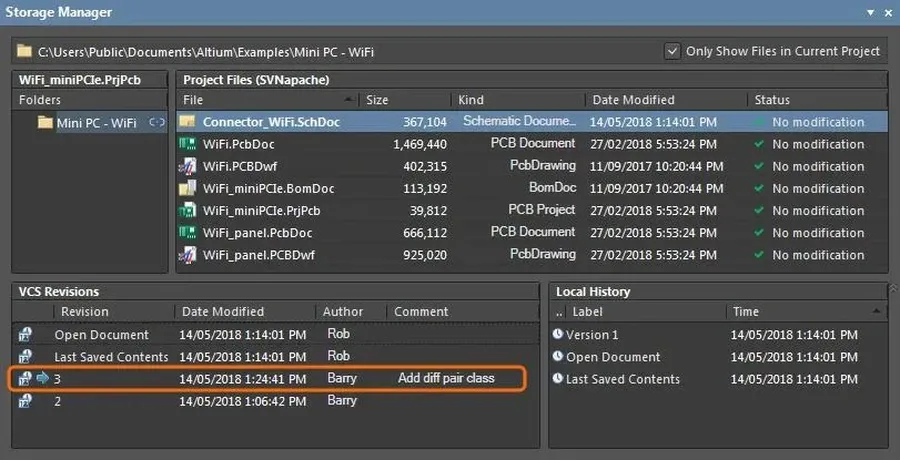
PCB version control
Altium 365 provides a robust and centralized platform for managing all PCB design data, ensuring data integrity and accessibility. Its version control capabilities are integral for tracking design iterations, preventing data loss, and facilitating seamless collaboration.
Centralized Data Storage All project files, including schematics, PCB layouts, component libraries, and documentation, are stored in a secure, cloud-based environment, eliminating the need for fragmented local storage.
Automated Version Control Altium 365 automatically tracks changes to design files, creating a detailed version history that allows users to revert to previous states as needed. This eliminates the risk of overwriting or losing critical data.
Data Security All design data is encrypted both in transit and at rest, adhering to industry best practices for security. Access controls ensure that sensitive information is only available to authorized team members.
Simplified Collaboration With all data centralized and versioned, team members can collaborate on projects seamlessly, knowing that they are working with the most up-to-date files. This eliminates confusion and reduces the risk of design conflicts.
Feature
Description
Benefit
Centralized Storage
All project data is stored in a single, cloud-based location.
Eliminates fragmented data, ensures a single source of truth, improves accessibility.
Automated Version Control
Changes to design files are automatically tracked with a complete version history.
Prevents data loss, allows for easy reversion to previous design states, facilitates auditing.
Secure Data Management
Data is encrypted both in transit and at rest, with strict access controls.
Ensures data integrity, protects sensitive design information, complies with industry security standards.
Design History
Complete history of changes with comments and user identification.
Provides an audit trail and enhances accountability for design changes.
Altium 365's Impact on the PCB Design Workflow
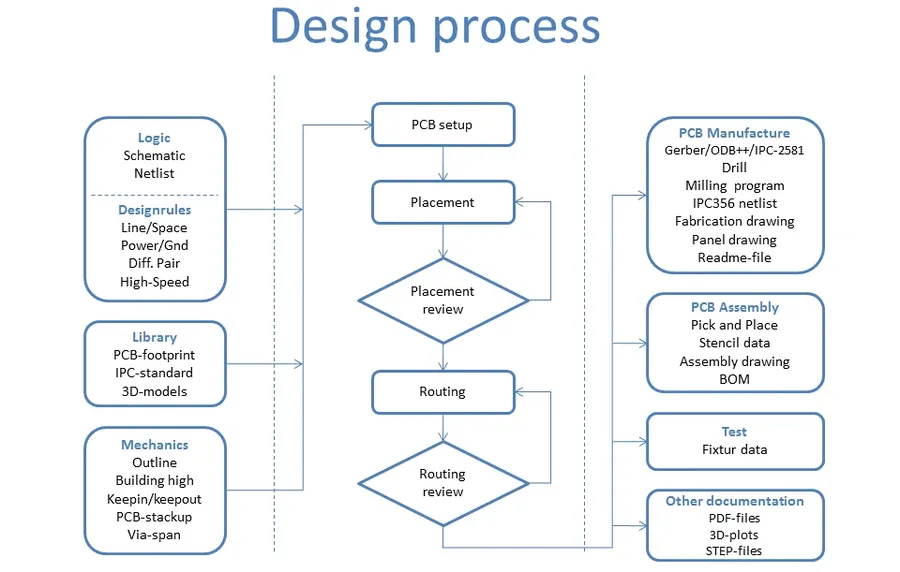
PCB design workflow diagram
Altium 365 significantly transforms the traditional PCB design process by providing a unified, cloud-based environment that streamlines workflows from schematic capture to board layout and documentation. This integration fosters enhanced efficiency and reduces design cycle times.
The platform's influence spans various stages of PCB development, each benefiting from its robust features.
Design Stage
Impact of Altium 365
Traditional Method Challenges
Schematic Capture
Enables concurrent schematic editing and real-time collaboration.
Requires file sharing and manual coordination, which can lead to conflicts and version control issues.
PCB Layout
Facilitates collaborative layout and design review with integrated commenting and markup tools.
Involves sequential design cycles and communication barriers, delaying feedback and iterative changes.
Documentation
Automates document generation and centralizes access to all project documentation.
Requires manual documentation efforts and disparate file storage, leading to errors and delays.
Design Review
Enables easy, cloud-based design review and validation with all project stakeholders.
Relies on cumbersome methods like email exchanges and face-to-face meetings, slowing down the design review process.
Integration with Other Tools
Seamlessly integrates with various MCAD software, component databases, and enterprise systems.
Often limited, involving manual file transfers and compatibility issues with different software platforms.
Altium 365's integration with other design tools is a significant advantage, allowing for seamless interoperability and data exchange between different platforms, reducing the potential for errors and enhancing design accuracy.
Altium 365 Security Features
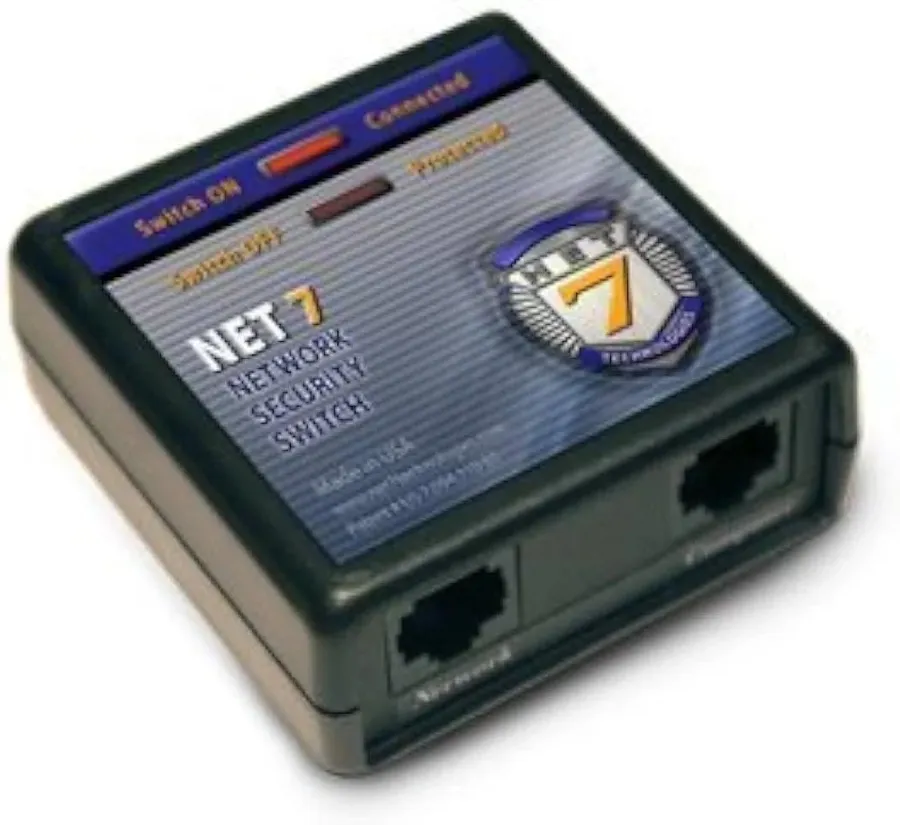
Network Security
Altium 365 prioritizes the security and confidentiality of your valuable design data through a multi-layered approach. This encompasses robust encryption protocols, stringent access controls, and seamless integration with established organizational security frameworks, ensuring the protection of your intellectual property throughout the design lifecycle.
End-to-End Encryption: All data transmitted to and from Altium 365 is protected using advanced encryption algorithms, securing data in transit and at rest, safeguarding against unauthorized access.
Access Controls: Granular user permissions allow administrators to carefully control access to projects, workspaces, and specific files, ensuring only authorized personnel can view, modify, or share sensitive design data.
Regular Security Audits: Altium 365 infrastructure and security protocols are consistently examined to meet evolving security challenges, adhering to industry best practices and regulatory standards to provide ongoing risk management.
Integration with Organizational Security Packages: Altium 365 integrates with common organizational security protocols to ensure it fits into existing security architectures. It supports single sign-on (SSO), multi-factor authentication (MFA), and other established security systems.
Secure Data Storage: All design data is stored within a secure, cloud-based infrastructure designed to prevent data breaches and loss, providing a reliable and resilient environment for your design files. Data backups are done on a regular schedule for security
Altium 365 Getting Started: a step-by-step guide
Embarking on your Altium 365 journey involves a straightforward process designed to get you quickly up and running. This guide provides a practical, step-by-step approach to setting up your account, initiating your first project, and establishing collaborative workflows, ensuring a smooth and efficient start with the platform.
Step 1: Account Creation and Initial Setup Begin by navigating to the Altium 365 website and creating a new account. If you are associated with an organization that already uses Altium 365, you might be invited to join their existing workspace. Follow the prompts to complete your profile and set your preferred account settings.
Step 2: Exploring the Altium 365 Interface Familiarize yourself with the Altium 365 interface, which is divided into projects, teams, and preferences. The 'Projects' area is where all your design projects will be stored, 'Teams' allows for team collaboration, and the 'Preferences' area allows for account personalization. Understanding the interface will streamline your future activities.
Step 3: Creating Your First Project Click on the “Create Project” button and enter your desired project name and other parameters. These parameters may include the project type, description, etc. Altium 365 supports various project types such as PCB designs, hardware designs and many more. Select the correct one to suit your project.
Step 4: Inviting Collaborators Navigate to your project and click the collaboration settings to invite collaborators using their email addresses. You can set different roles and permissions, such as view-only, comment, or edit, ensuring granular control over project access. Effective collaboration is a key advantage of Altium 365.
Step 5: Project Initial Configuration Once your project and collaborators are set up, configure any required design parameters. This may include setting up the appropriate library, templates, and project-specific rules. Begin to add your design files and start designing.
Frequently Asked Questions About Altium 365
This section addresses common queries regarding Altium 365, providing concise and authoritative answers to help users understand its functionalities and usage. We've compiled a list of frequently asked questions to clarify key aspects of the platform.
What exactly is Altium 365? Altium 365 is a cloud-based platform that provides a unified environment for electronic product development. It facilitates PCB design, real-time collaboration, data management, and project sharing, connecting all stakeholders in the design process. Unlike traditional methods, Altium 365 leverages cloud technology to streamline workflows.
Is the Altium 365 Viewer available for free? Yes, the Altium 365 Viewer is available free of charge. It allows users to view and interact with PCB design data without needing a full Altium Designer license. This is beneficial for stakeholders who need to review designs but are not actively involved in the design process.
Who is the owner of Altium 365? Altium 365 is developed and owned by Altium Limited, a multinational software company specializing in electronic design automation (EDA) software. Altium is responsible for the continuous development and support of the platform.
How do I activate my Altium 365 subscription? Activating your Altium 365 subscription typically involves logging into your Altium account and linking your Altium Designer license to the cloud platform. The specific activation steps can vary, but detailed instructions are usually provided during purchase or through Altium's support channels. Proper activation is essential for accessing the full range of Altium 365 features.
Can I access Altium 365 from anywhere? Yes, as a cloud-based platform, Altium 365 can be accessed from any location with an internet connection. This flexibility enables teams to work collaboratively irrespective of geographical barriers and facilitates remote work scenarios.
What kind of support does Altium 365 provide? Altium 365 offers comprehensive support resources including documentation, tutorials, community forums, and direct support channels. These resources are designed to assist users with various aspects of the platform, from setup to complex design workflows.
What types of files are compatible with Altium 365? Altium 365 is primarily designed to work with Altium Designer project files (.PrjPcb), schematic files (.SchDoc), PCB layout files (.PcbDoc), and other related design data. However, it can handle various other file formats for documentation purposes, including PDF files and more. Altium 365 is primarily designed to work seamlessly within the Altium ecosystem.
Altium 365 vs. Traditional PCB Design Methods
Traditional PCB design workbench
Altium 365 represents a paradigm shift from traditional PCB design methods by offering a cloud-based, collaborative platform that significantly enhances efficiency and data security. While traditional methods often rely on disparate tools and manual file sharing, Altium 365 provides a unified environment for the entire design process.
Feature
Traditional Methods
Altium 365
Collaboration
Limited, often through email and manual file sharing, prone to version conflicts.
Real-time, concurrent design, with integrated commenting and notifications.
Data Management
Decentralized, with design files stored locally or on shared drives, lacking robust version control.
Centralized and secure cloud storage, with automated version tracking and rollback capabilities.
Accessibility
Restricted to specific workstations with installed software.
Accessible from anywhere with an internet connection via a web browser or Altium Designer.
Security
Vulnerable to data loss and unauthorized access due to manual transfer and storage methods.
Robust encryption and access controls ensure data privacy and security.
Design Workflow
Disjointed workflow due to the use of multiple tools and manual steps.
Streamlined workflow from schematic capture to board layout and documentation with seamless tool integration.
Scalability
Difficult to scale, often requiring additional hardware and software licenses.
Easily scalable to accommodate varying team sizes and project complexity.
Cost
High upfront costs for software licenses, maintenance, and hardware infrastructure.
Subscription-based model, reducing upfront investment and providing greater flexibility.
In summary, while traditional PCB design methods can be functional, they often result in inefficiencies, higher costs, and an increased risk of data loss. Altium 365 addresses these shortcomings by providing a modern, streamlined, and secure approach to PCB design, fostering increased productivity and collaboration among teams.
Altium 365 stands as a significant advancement in the realm of PCB design and collaboration, streamlining workflows, enhancing data security, and fostering better teamwork. Its cloud-based nature ensures accessibility from anywhere, empowering design teams to be more agile and efficient. Whether for small projects or large-scale developments, leveraging Altium 365 is an intelligent choice to optimize and modernize electronics product creation. Embracing Altium 365 is not just about using software; it's about embracing a new era of connected and intelligent design.