Choosing the Right PCB Design Maker: A Comprehensive Guide
2025.01.05
The world of electronics is constantly evolving, and at the heart of every electronic device lies a meticulously designed printed circuit board (PCB). Whether you're a seasoned engineer or a passionate maker, selecting the right PCB design maker is crucial. This article dives into the landscape of PCB design tools, guiding you through the options available and helping you choose the perfect fit for your project needs, so you will be empowered to bring your electronic inventions to life. We'll explore everything from online platforms to powerful software, highlighting the best options that will transform your idea into a tangible product, with a focus on actionable advice and practical tips.
Understanding Your PCB Design Needs
PCB Design Software Interface
Selecting the right PCB design maker hinges on a clear understanding of your project's specific requirements. This involves a thorough assessment of complexity, budget, desired features, and long-term implications, ensuring the chosen tool aligns with both your current and future needs. A well-defined set of project parameters will streamline the selection process and prevent costly mismatches.
Project Complexity Assess the intricacy of your PCB design, including the number of layers, component density, and signal routing requirements. Simple, single-layer boards for basic applications differ greatly from complex, multi-layered designs for high-speed digital circuits.
Budget Constraints Determine your available budget for PCB design software. Free or open-source options might suffice for less complex projects, while professional-grade software with advanced features often comes with a significant cost. Evaluate if a subscription model makes financial sense in the long run.
Required Features Identify must-have features for your design, such as simulation tools, 3D visualization, autorouting capabilities, and specific component library needs. Ensure the selected maker offers the necessary tools without unnecessary bloat, striking a balance between functionality and usability.
Long-Term Usage Consider your long-term usage of the software. If you anticipate frequent use or working on varied projects, the learning curve and scalability become crucial. Choose a tool that can adapt to the evolution of your needs. Also consider if you'll need to collaborate with others, and the ease of which that will happen.
Free vs. Paid PCB Design Software: A Detailed Comparison
Commercial PCB Software
Selecting the appropriate PCB design software is crucial for efficient and successful project development. The choice between free and paid options significantly impacts features, complexity, and the overall design process. This section provides a detailed comparison to guide your decision-making.
Feature
Free Software
Paid Software
Cost
No initial cost, may have limitations or require open-source licensing.
Requires a purchase or subscription, usually with varied pricing tiers.
Functionality
Often includes essential design tools with some advanced features. Limitations may apply to layer count, component library access, or simulation capabilities.
Typically offers comprehensive capabilities, including advanced simulations, signal integrity analysis, 3D visualization, and extensive component libraries.
Complexity Handling
Suitable for basic to intermediate complexity projects. May struggle with large or very complex designs.
Designed to handle highly complex designs, including multi-layer PCBs, high-speed signals, and intricate layouts.
Component Libraries
May offer access to a general component library with less frequent updates. Some may rely on community contributions.
Provides extensive and regularly updated component libraries, often with manufacturer-verified components.
Support & Updates
Community-driven support, may have limited or inconsistent resources. Updates may be less frequent.
Dedicated technical support, documentation, and training resources. Regular updates with new features and bug fixes.
File Format Compatibility
May have limited file format compatibility, potentially causing interoperability issues.
Usually has broader compatibility with various file formats, facilitating design exchanges.
Commercial Use
May have limitations or specific licensing requirements for commercial applications.
Generally licensed for both commercial and non-commercial use with flexible licensing options.
Advanced Simulations and Analysis
Basic simulation capabilities may be available, but advanced analysis tools like signal integrity are usually absent.
Advanced simulations and signal integrity analysis capabilities built-in or available as add-ons.
Customization and Extensions
May offer limited scope for customization and plugin integration.
Offers more extensive customization through APIs, extensions, and plugins.
Top Free Online PCB Design Makers
Online PCB Design Platform
Free online PCB design makers offer a convenient entry point into electronics design, providing accessible tools directly within a web browser. These platforms democratize PCB design by eliminating the need for expensive software licenses and complex installations, focusing on ease of use, collaborative design, and readily available component libraries.
Several free online PCB design platforms stand out for their user-friendly interfaces and robust feature sets. Below we examine a few of the most popular options:
EasyEDA EasyEDA is a popular, browser-based tool offering a comprehensive suite of design features, including schematic capture, PCB layout, and SPICE simulation. Its vast online component library and user-friendly interface make it an excellent choice for beginners and experienced designers alike. The platform's collaboration features facilitate teamwork, while its integration with LCSC for component ordering streamlines the entire design-to-production process.
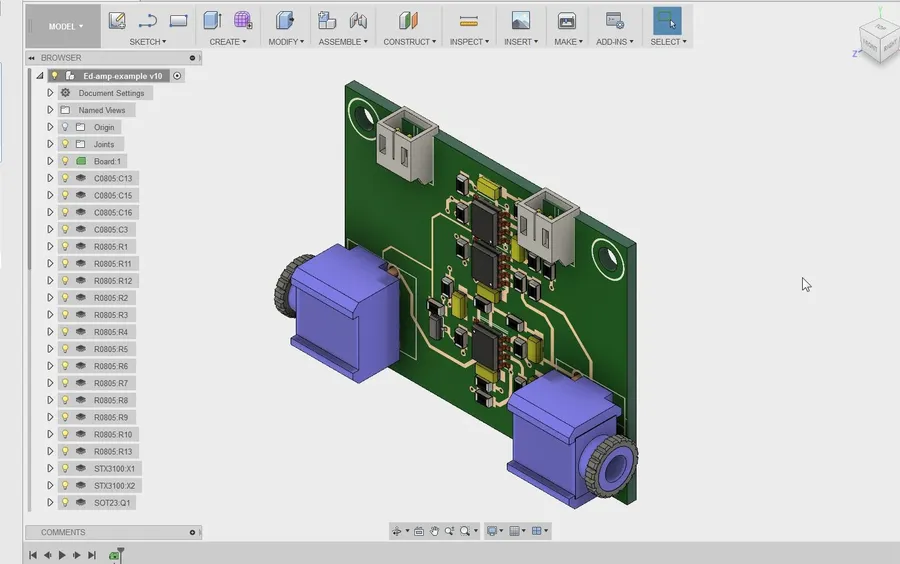
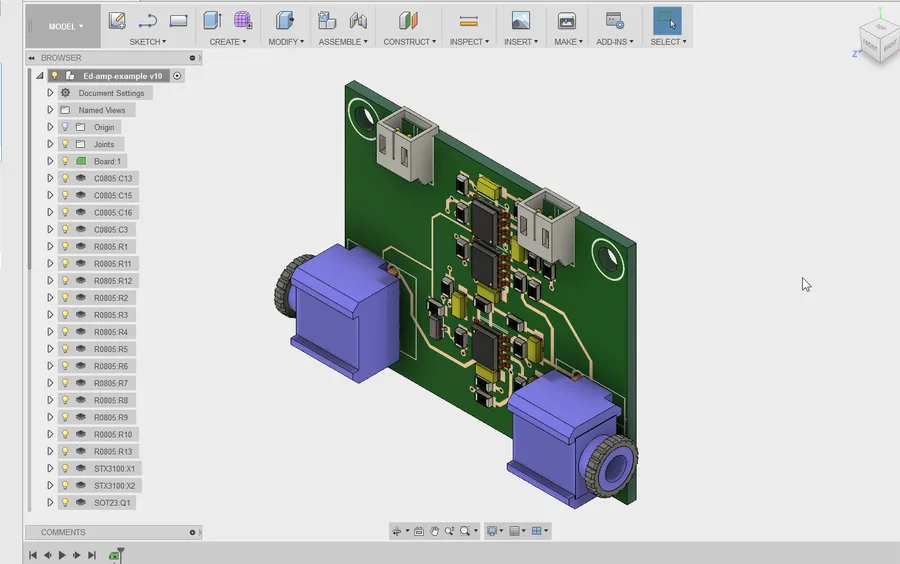
Autodesk Fusion 360 (with EAGLE integration) While Fusion 360 itself is not exclusively a PCB design tool, it integrates the powerful EAGLE PCB design software, offering a cloud-based solution for mechanical and electrical design. Although a paid solution, Autodesk offers a free version for hobbyists and startups, providing a powerful solution for complex projects. The integration allows for seamless transitions between mechanical and electrical designs.
CircuitMaker CircuitMaker, from Altium, is a free PCB design tool that boasts an intuitive interface and a strong focus on community collaboration. It includes features like schematic capture, PCB layout, and 3D visualization. CircuitMaker provides a robust platform for designers seeking to share and learn from each other, with a user base capable of providing extensive help and collaboration opportunities.
Upverter Upverter is another cloud-based PCB design tool that allows users to collaboratively design schematics and layouts. It has integrated component libraries and offers features for version control, making it suitable for team-based projects. Upverter is designed to make collaboration more seamless, with real-time editing features similar to that of google documents.
These free online PCB design makers cater to a broad range of users, from hobbyists and students to professional engineers, offering accessible and powerful tools for creating electronic circuits. The choice among these depends on the user's specific needs, project complexity, and preferences for workflow and design features. The key advantage of using web-based tools, irrespective of the platform chosen, is the ability to work on the design from virtually any computer with an active internet connection and browser.
Open-Source PCB Design Software: KiCad and LibrePCB
KiCad Interface
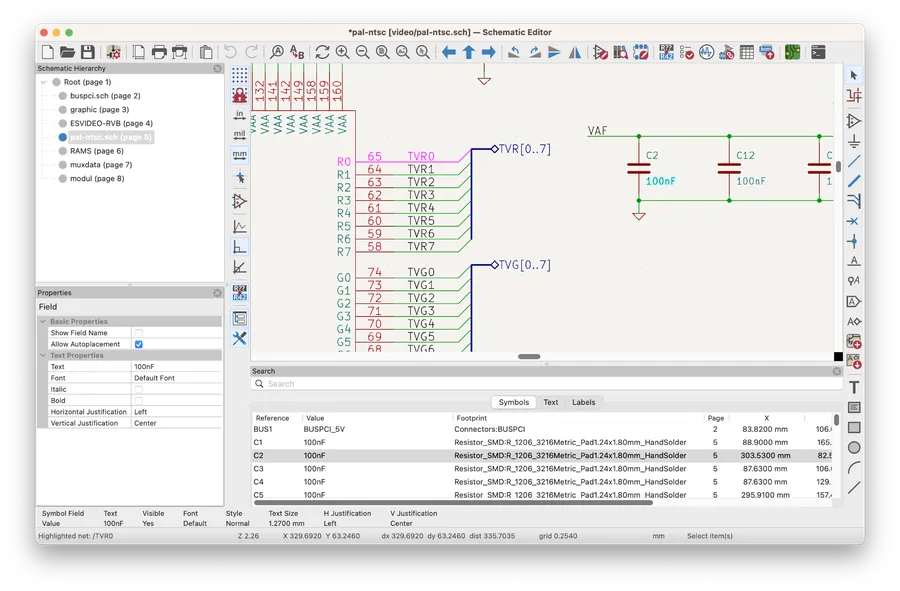
Open-source PCB design software offers a powerful alternative to proprietary tools, providing users with the freedom to customize, contribute, and use the software without licensing fees. KiCad and LibrePCB are leading examples in this domain, offering robust feature sets and active community support. These platforms are particularly attractive to users who value transparency, control, and cost-effectiveness in their design process.
Feature
KiCad
LibrePCB
License
GNU GPL v3
GNU GPL v3
Platform Support
Windows, macOS, Linux
Windows, macOS, Linux
User Interface
Mature, Feature-Rich
Modern, Intuitive
Component Libraries
Extensive, User-Contributed
Growing, User-Driven
3D Visualization
Yes
Yes
Customization
Highly Customizable via Plugins
Customizable through API
Community Support
Large, Active Community
Growing Community
Learning Curve
Moderate
Moderate
Both KiCad and LibrePCB are actively developed and supported by their respective communities, ensuring continuous improvement and adaptation to industry standards. The choice between these two often comes down to individual preferences regarding user interface, specific project requirements and desired customization level.
Advanced PCB Design Software: Altium Designer and Autodesk EAGLE
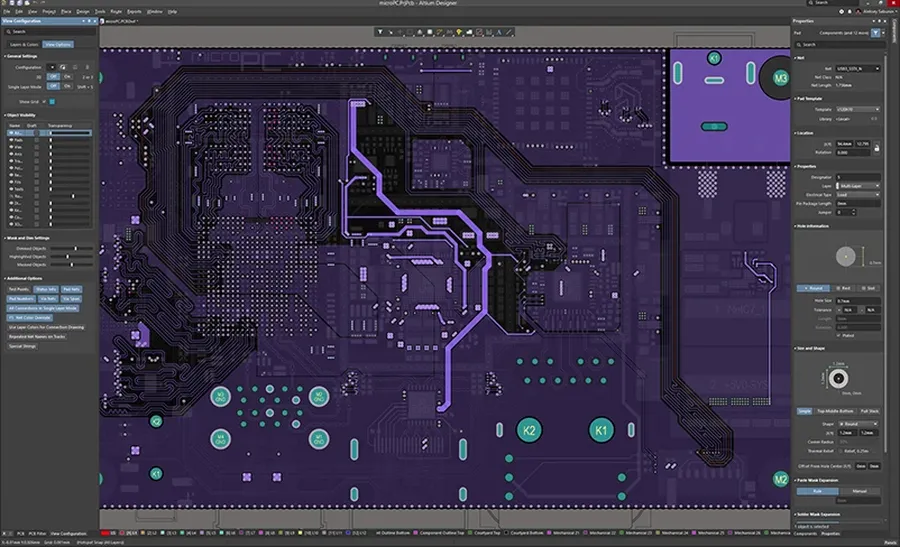
Altium Designer Interface
For complex PCB designs requiring advanced functionalities, professional-grade software like Altium Designer and Autodesk EAGLE are the industry standards. These tools offer sophisticated features that go beyond basic schematic capture and board layout, catering to the needs of high-performance and specialized electronic products.
Feature
Altium Designer
Autodesk EAGLE
Signal Integrity Analysis
Comprehensive, integrated analysis tools
Basic signal integrity checks
3D Visualization
Advanced 3D design and visualization capabilities
3D modeling with limited functionalities
Collaboration Features
Robust collaborative design environment, managed data, and version control
Team collaboration with cloud storage and versioning
Component Library
Extensive library with active component management and supplier integration
Large component library with online updates
Complexity Handling
Designed for high-complexity, multi-layer PCBs
Suitable for medium to complex designs
User Interface
Integrated and powerful UI
User-friendly interface with command and script functionality
Pricing
Subscription-based license, higher cost.
Subscription-based license, lower cost than Altium Designer.
Both Altium Designer and Autodesk EAGLE offer substantial capabilities for professional PCB design, but they also present trade-offs in terms of features, complexity, and cost. The choice depends significantly on project scope, budget, and the user's familiarity with the software.
Frequently Asked Questions About PCB Design Makers
Selecting the right PCB design maker can be challenging, given the variety of options available. This section addresses common queries to guide your decision-making process, focusing on key aspects such as software compatibility, learning curves, and community resources.
What are the primary factors to consider when choosing PCB design software? When selecting PCB design software, consider project complexity, required features (e.g., signal integrity analysis, 3D visualization), budget constraints, ease of use, and long-term needs. For instance, simple projects may be adequately handled by free software, while complex designs might require professional-grade tools. Additionally, examine compatibility, available component libraries, and the responsiveness of the user support team. For example, the need for collaboration features could lead you towards cloud-based options.
How steep is the learning curve for different PCB design software? The learning curve varies significantly among PCB design tools. Free and browser-based tools like EasyEDA often have shallower learning curves due to their simplified interfaces and guided tutorials. Open-source options like KiCad are initially more challenging but have active community support and numerous tutorials. Professional tools such as Altium Designer or Autodesk EAGLE have the steepest learning curves, demanding an understanding of advanced design principles. Consider your current expertise and available learning resources when making your choice. It is beneficial to begin with simpler options, mastering the basic principles of PCB design before scaling up your expertise.
Which PCB design software is best for beginners? For beginners, EasyEDA stands out due to its intuitive interface and online accessibility. CircuitMaker, while also free, offers a slightly steeper learning curve but provides more advanced features. KiCad provides a powerful free open-source solution which has a lot of free support. These tools offer a good balance between simplicity and capability for those starting with PCB design, ensuring accessibility without sacrificing essential functionality.
What file formats are typically supported by PCB design software? Most PCB design software supports common file formats such as Gerber, which is used for manufacturing, and DXF for exchanging design data. Many tools support formats like STEP, for 3D modeling integration and ODB++, which is more advanced than Gerber. The specific formats supported can vary so review the software’s specifications to ensure compatibility with your design needs and manufacturing process. For example, you need to check the compatibility with your component libraries too.
Are there online PCB design makers available, and what are their advantages? Yes, online PCB design makers like EasyEDA and CircuitMaker offer the advantage of being accessible through web browsers, removing the need for local installations. They also offer collaborative features, component library integration, and automatic project backups. This approach provides ease of accessibility and collaborative capability but may be limited by the dependency on an internet connection and might have limited functionalities compared to dedicated software.
What kind of community support is available for different PCB design tools? Community support varies widely across different PCB design tools. Open-source projects like KiCad have large, active communities providing forums, tutorials, and component libraries that are free and easily accessible. Commercial software usually provides dedicated support channels and training resources. Online forums and platforms like Stack Exchange can offer insights and guidance from other users for most popular software. The level and quality of support can influence the ease of use and effectiveness of the chosen tool, especially in case of problems or needing assistance.
How do free PCB design tools compare to paid, professional software? Free PCB design tools are excellent for hobbyists and small projects, offering fundamental features for schematic capture, PCB layout, and basic simulation. However, they may lack some advanced capabilities that are essential for complex projects, such as signal integrity analysis, differential pair routing, and intricate 3D visualization. Professional software, such as Altium Designer and Autodesk EAGLE, provides comprehensive tools and features at a cost. Professional software offers enterprise-level project management tools, component and material libraries, enhanced features and professional support. Assess whether your needs justify the cost of professional solutions based on the complexity and scale of your projects. You could also consider more cost effective subscription based options, rather than outright purchasing software licenses.
Practical Considerations: Collaboration and Version Control for PCB Design
PCB Design Collaboration
Selecting a PCB design maker involves more than just individual design capabilities; it also demands attention to features that facilitate team collaboration and effective version control. These are crucial for managing complex projects and avoiding costly errors.
Effective collaboration hinges on the PCB design software's ability to allow multiple users to work on a project simultaneously or sequentially while maintaining design integrity. This involves mechanisms for sharing project files, providing real-time updates and feedback, and managing potential conflicts. Version control is the backbone of any design process that involves multiple iterations, allowing designers to track changes, revert to previous design states, and understand the design's evolution.
Cloud-Based Collaboration Cloud-based platforms, such as those offered by EasyEDA or some advanced paid software, offer real-time collaboration capabilities that allow multiple designers to access and work on the same project simultaneously, thereby reducing version control issues and improving feedback loops.
Version Control Integration Software packages that offer direct integration with version control systems like Git, enable better management of design changes. The ability to branch and merge project files enables designers to experiment with multiple design ideas while maintaining a single version of truth.
User Permissions The ability to define and manage user permissions is critical for large projects involving multiple stakeholders, and it allows project managers to control who can modify project data, ensuring better management of design changes and data access.
Making the Right Choice: Actionable Tips for Selecting a PCB Design Maker
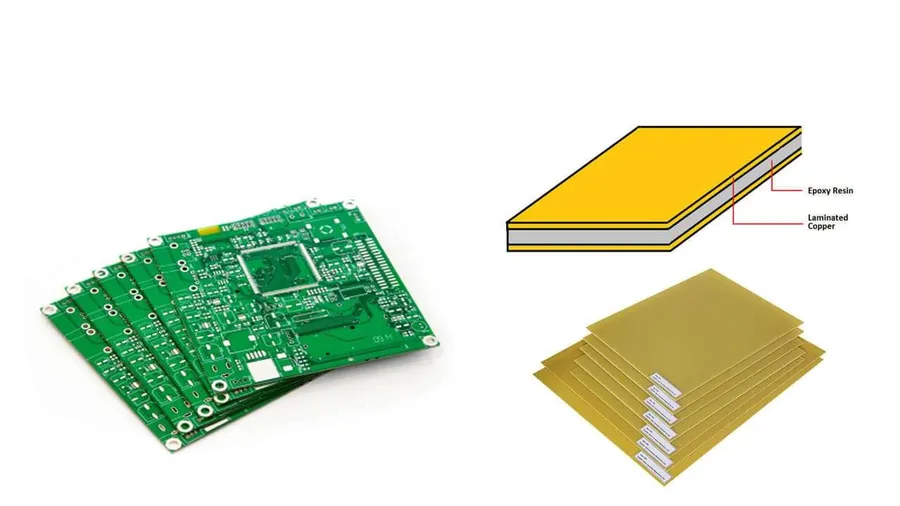
Various PCB Boards
Selecting the appropriate PCB design maker is crucial for project success. This section provides a structured approach to evaluating your options, ensuring you choose a tool that aligns with your specific needs and skill level.
Define Your Project Requirements Begin by outlining the specifics of your project. Consider the complexity of the design, the number of layers required, the types of components you will use, and any specialized features that are necessary. This foundational understanding will guide your software selection process.
Assess Your Skill Level Be honest about your current proficiency in PCB design. Beginners might be best served by user-friendly interfaces with intuitive design flows, while advanced users might prefer software offering a higher degree of customization and advanced analysis tools.
Evaluate Software Features Examine the range of features offered by different PCB design makers. Essential capabilities include schematic capture, PCB layout, component libraries, and DRC (Design Rule Checking). Evaluate specific features that might be critical to your project such as signal integrity analysis, 3D visualization, or support for specific manufacturing processes.
Consider Collaboration Needs If you are working within a team, evaluate how different design makers support collaboration. Features such as simultaneous editing, design sharing and version control are important to look at.
Check for Community Support Access to a strong user community is extremely valuable. A large and active community can provide tutorials, tips, troubleshooting assistance, and can accelerate the learning process for new users.
Test the Software Take advantage of free trials or free software versions to test the software. Use these opportunities to assess usability and workflow before making a final commitment. Focus on whether the tool feels natural to use, and if its workflow compliments your design process.
Consideration
Beginner Users
Advanced Users
Software Complexity
Prioritize user-friendly interfaces and guided design processes.
Require advanced features and extensive customization options.
Feature Set
Focus on essential features and intuitive navigation.
Demand robust design rule checking, signal integrity analysis, and 3D visualization.
Support and Resources
Prefer software with accessible tutorials and beginner-friendly support.
Value active user communities and readily available documentation.
Cost
Often prefer free or low-cost software with sufficient basic functionality.
May prioritize advanced features and accept the higher investment required.
Choosing the right PCB design maker is a pivotal step in bringing your electronic projects to life. By understanding your specific needs, carefully evaluating the available options, and leveraging the advice in this guide, you can select a tool that is ideally suited for you, from a beginner learning to design simple circuit boards to a veteran designing complex high-speed circuits. This journey of invention is accessible with the right tool. Embrace your creativity and get ready to bring your dreams to reality, with your new trusted pcb design maker by your side!