CircuitMaker on Mac: Your Complete Guide to PCB Design
2025.01.04
In today's interconnected world, where electronic devices are pervasive, Printed Circuit Board (PCB) design has become increasingly important. Many designers using a Mac need tools like CircuitMaker to build and refine their projects. This article will explore if CircuitMaker natively supports MacOS, detail alternative PCB software options for Mac users and explain how to potentially run CircuitMaker on a Mac using Windows virtualization. We will guide you through the available options, empowering you to design efficiently and effectively.
The Challenge: CircuitMaker and Native Mac Support
CircuitMaker, a powerful free tool for PCB design, unfortunately does not offer native support for macOS. This presents a significant obstacle for Mac users who prefer to utilize software directly within their operating system. The absence of a macOS version requires Mac users to find alternative methods to run the software, such as virtualization, which introduces additional complexities and resource requirements.
Virtualization: Running CircuitMaker on Mac via Windows
Virtual Machine Interface
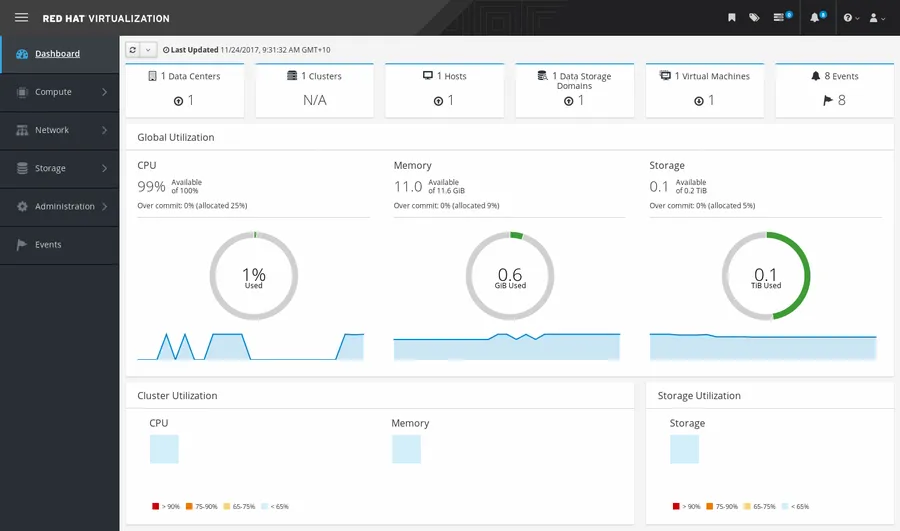
For Mac users seeking to utilize CircuitMaker, a powerful yet Windows-only PCB design tool, virtualization offers a robust solution. This approach involves creating a virtual machine on your macOS system, within which a Windows operating system is installed. Subsequently, CircuitMaker can be installed and run within this Windows environment, providing full access to its features. This method, although requiring additional setup, ensures compatibility and avoids the limitations of direct macOS incompatibility.
Virtual Machine Software Select a virtualization software suitable for macOS, such as VMware Fusion, Parallels Desktop, or VirtualBox (free option). Each offers varying degrees of performance and features.
Windows Installation Procure a valid Windows operating system license and installation media. Follow the virtual machine software's instructions to create a new virtual machine and install Windows.
Install CircuitMaker Once Windows is running in the virtual environment, download the CircuitMaker installer from the official website and install it within the Windows virtual machine.
Configure Resources Allocate sufficient RAM and CPU cores to the virtual machine to ensure smooth performance when running CircuitMaker. Experiment to find the best balance of resources.
This setup ensures that while you are working within the macOS environment, you can still access all the functionalities of CircuitMaker as if you were on a dedicated Windows machine. The primary consideration is resource allocation, as the virtual machine and the operating system will share the same physical resources, such as memory and processor.
Considerations
Details
Performance
Virtualization may impact the performance of CircuitMaker compared to running on native hardware, especially when using intensive features.
Resource Overhead
Running a virtual machine demands significant system resources, including RAM, CPU, and disk space. Ensure that your Mac meets the minimum system requirements for the virtual machine and CircuitMaker.
Cost
Virtualization software can be costly, and a valid Windows license is also required. Free alternatives like VirtualBox offer a cost-effective option for those with budget constraints.
Compatibility
While it solves the direct incompatibility of CircuitMaker, it does introduce another layer that needs configuration and possible updates.
Alternative PCB Design Software for macOS
macOS PCB Design Software
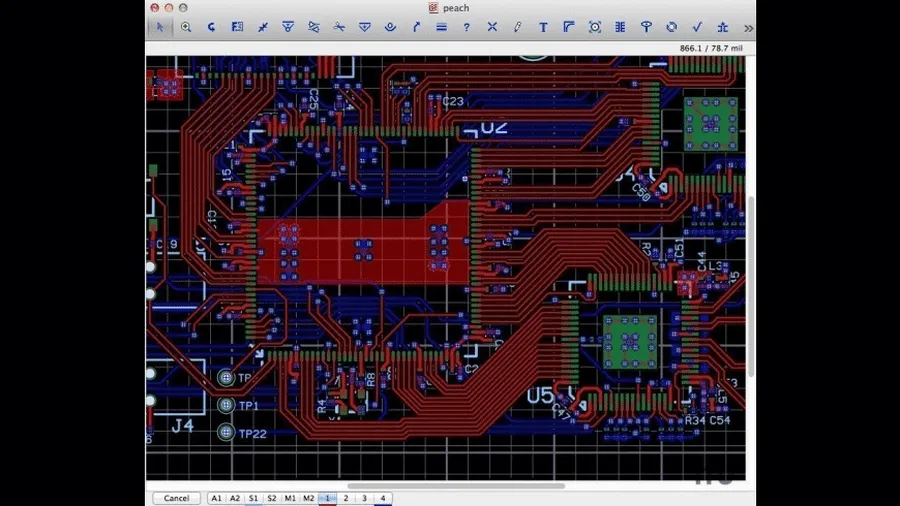
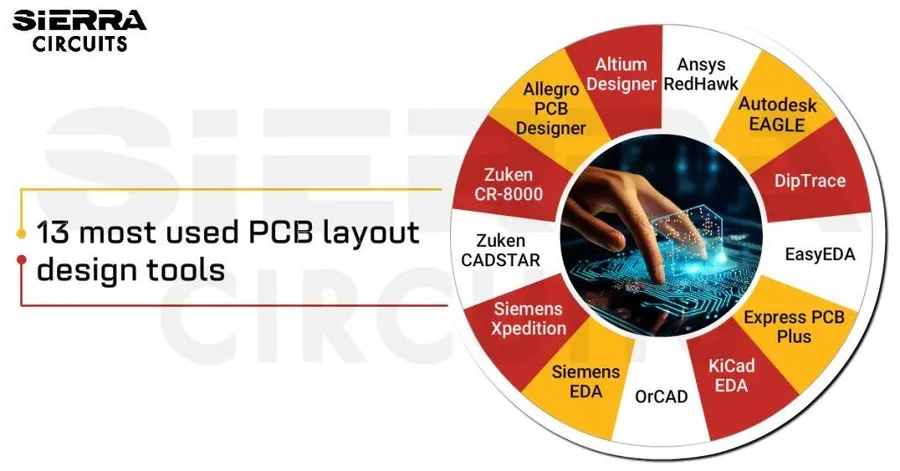
While running CircuitMaker on a Mac via virtualization is a viable option, numerous robust PCB design software alternatives are available that are specifically designed for macOS. These native applications often provide comparable, if not superior, functionality and user experience without the overhead of a virtual machine. This section explores some of the leading alternatives, detailing their strengths and weaknesses to assist you in selecting the optimal solution for your specific needs.
KiCad An open-source, cross-platform suite for schematic capture and PCB layout, known for its extensive functionality and active community support.
Eagle CAD A widely used PCB design tool known for its user-friendly interface and extensive component library, suitable for beginners and professional use, but with limitations in the free tier.
EasyEDA A cloud-based EDA tool that provides schematic capture, PCB layout, and simulation capabilities accessible from any device with an internet connection.
Fusion 360 A comprehensive CAD/CAM/CAE platform that includes PCB design functionality as one of its many features, particularly valuable for projects combining mechanical and electronic design.
iCircuit A circuit simulation tool useful for verifying the functionality of basic electronic circuits, but not suited for complex PCB design.
Comparing Popular Mac-Compatible PCB Software
PCB Software Comparison
When seeking alternatives to CircuitMaker on macOS, it's essential to assess various PCB design software options based on factors like native Mac support, cost, features, and complexity. This section provides a comparative overview to aid Mac users in selecting the most suitable tool for their needs.
Software
Native Mac Support
Free Tier
Key Features
Pros
Cons
CircuitMaker
No
Yes
Schematic capture, PCB layout
Free, powerful, integrated with Altium ecosystem
Not native for Mac, Requires virtualization
KiCad
Yes
Yes
Schematic, PCB, 3D viewer
Open-source, cross-platform, strong community support
Steeper learning curve for some
Eagle CAD
Yes
Limited
Schematic capture, PCB layout, part library
Easy to use, large component library, good for beginners
Limited functionality in the free tier
EasyEDA
Yes (web)
Yes
Cloud-based schematic and PCB editor
Accessible from any device, cloud collaboration
Internet access required
Fusion 360
Yes
Yes
3D modeling, simulation, PCB design
Integrated CAD/CAM/CAE, very versatile
Can be complex to learn, more geared towards mechanical design
iCircuit
Yes
No
Circuit simulation
Easy to use, great for simulating basic circuits
Not for complex PCB design
Comparing Popular Mac-Compatible PCB Software
PCB Software Comparison
For Mac users seeking alternatives to CircuitMaker, a variety of PCB design software options exist, each with unique strengths and weaknesses. This section provides a comparative overview to aid in selecting the most suitable tool. Key factors include native Mac support, cost, features, ease of use, and community support. The table below details several popular software options, helping users make informed decisions based on their specific needs.
Software
Native Mac Support
Free Tier
Key Features
Pros
Cons
CircuitMaker
No
Yes
Schematic capture, PCB layout
Free, powerful, integrated with Altium ecosystem
Not native for Mac, Requires virtualization
KiCad
Yes
Yes
Schematic, PCB, 3D viewer
Open-source, cross-platform, strong community support
Steeper learning curve for some
Eagle CAD
Yes
Limited
Schematic capture, PCB layout, part library
Easy to use, large component library, good for beginners
Limited functionality in the free tier
EasyEDA
Yes (web)
Yes
Cloud-based schematic and PCB editor
Accessible from any device, cloud collaboration
Internet access required
Fusion 360
Yes
Yes
3D modeling, simulation, PCB design
Integrated CAD/CAM/CAE, very versatile
Can be complex to learn, more geared towards mechanical design
iCircuit
Yes
No
Circuit simulation
Easy to use, great for simulating basic circuits
Not for complex PCB design
Comparison Table
The table above provides a structured comparison of popular PCB design software options for Mac users. It outlines key aspects such as native Mac support, availability of free tiers, primary features, advantages and disadvantages of each software, enabling users to quickly assess which tool best fits their requirements. Each software brings a different approach to the design process. Consider the learning curve, the complexity of your projects, and the level of community support needed when you choose.
Frequently Asked Questions About CircuitMaker on Mac
This section addresses common questions that arise when considering the use of CircuitMaker on macOS. Given its primary design for Windows, Mac users often face unique challenges and seek clear answers about compatibility, cost, and alternatives. We aim to provide concise and authoritative responses to these important queries.
Is CircuitMaker available for Mac? No, CircuitMaker is not natively available for macOS. It is designed to run on the Windows operating system. This lack of native support necessitates the use of workarounds like virtualization for Mac users who wish to use CircuitMaker.
How much does CircuitMaker cost? CircuitMaker is free to use for open-source hardware designers, makers, hackers, students, and hobbyists. There are no licensing fees associated with using the core features of the software. However, the Altium ecosystem provides extended functionality and services that may incur costs, but these are not mandatory for basic CircuitMaker usage.
Can I run Altium Designer on a Mac? Yes, Altium Designer, the professional version of PCB design software from the same company as CircuitMaker, has a native Mac version. However, unlike CircuitMaker, Altium Designer is not free and requires a paid subscription. If you need a professional level PCB tool and you are a Mac user, Altium Designer is the best direct option.
Is CircuitMaker truly free to use? Yes, CircuitMaker is fully free for its target user base, this includes open-source hardware designers, students, makers, hackers, and hobbyists. While it does not require any direct payment for core functionality, users should be aware that the integrated Altium ecosystem offers additional services and features that may come at a cost. These are not required to design circuits.
What are the primary limitations of using CircuitMaker on a Mac? The primary limitation of using CircuitMaker on a Mac is the necessity to use virtualization software to run a Windows environment on your Mac, which can be resource-intensive, potentially impacting performance and battery life. Using a virtualized instance of Windows also requires a valid Windows license. Native Mac software may provide better efficiency.
Are there any reliable alternatives to CircuitMaker for Mac users? Yes, several reliable alternatives to CircuitMaker exist for Mac users, including KiCad (a popular open-source software), Eagle CAD (from Autodesk), EasyEDA (a cloud-based option), and Fusion 360 (from Autodesk). Each has its own strengths and weaknesses, and we've covered these further in other sections of the article to help users select the best for their specific needs.
How does the lack of native Mac support affect CircuitMaker performance? Using CircuitMaker via virtualization introduces an additional layer of software and abstraction which can degrade the performance compared to its performance on a native windows machine. Performance bottlenecks can also occur if the Mac has limited memory, storage or processor speed. The performance will also vary depending on the specific virtualization software being used.
Frequently Asked Questions About CircuitMaker on Mac
This section addresses common queries regarding the use of CircuitMaker on macOS, offering clear and concise answers to help users navigate the compatibility challenges and explore alternatives.
Is CircuitMaker available for Mac? No, CircuitMaker does not offer a native macOS version. It is exclusively designed for and operates on Windows operating systems. Users will need to employ virtualization solutions to run it on a Mac.
Does CircuitMaker run on macOS using virtualization? Yes, CircuitMaker can be run on macOS through virtualization software. This involves creating a Windows virtual machine on your Mac where CircuitMaker can be installed and operated.
How much does CircuitMaker cost? CircuitMaker is free for open source hardware designers, hackers, makers, students and hobbyists. There are no costs associated with the core features of the software, but some features may be limited by a subscription model. There may be costs associated with using a virtual machine.
Can I run Altium Designer on a Mac? Yes, Altium Designer, a professional-grade PCB design suite from the same company as CircuitMaker, offers a native macOS version. However, it is a paid software and requires a subscription.
What are the best alternatives to CircuitMaker for Mac users? While CircuitMaker is not natively available on Mac, other excellent PCB design tools are available, including KiCad, Eagle CAD, EasyEDA, and Fusion 360, all of which offer macOS support with varying capabilities and advantages.
Is CircuitMaker completely free? CircuitMaker is indeed free to use for the specified user groups including open source hardware designers, hackers, makers, students and hobbyists. It does not require any payments for its basic functionality, making it accessible to beginners and hobbyists, but some features might be limited.
Where can I download CircuitMaker? CircuitMaker can be downloaded from the official Altium website. Ensure you are downloading from a reputable source to avoid any security risks. Be sure to review system requirements for virtual machines if you are using this option.
Frequently Asked Questions About CircuitMaker on Mac
This section addresses common questions that arise when considering CircuitMaker for Mac users, providing clarity on its availability, cost, and compatibility.
Is CircuitMaker available for Mac? No, CircuitMaker is not natively available for macOS. It is designed to run on Windows operating systems. Mac users need to use virtualization or consider alternative software options.
How much does CircuitMaker cost? CircuitMaker is free to use for open-source hardware designers, hackers, makers, students, and hobbyists. There are no direct costs for accessing the software's core functionalities. However, certain advanced features or services may be offered under a subscription-based model, which is subject to change.
Can I run Altium Designer on a Mac? Yes, Altium Designer, the professional software from the same company, has a native Mac version. However, unlike CircuitMaker, Altium Designer requires a paid subscription and is not free. This ensures access to its full suite of features and professional capabilities.
Is CircuitMaker completely free? Yes, CircuitMaker is free for open source hardware designers, hackers, makers, students and hobbyists. This free access provides a substantial set of tools for schematic capture and PCB layout.
What are the limitations of using CircuitMaker on a Mac via virtualization? While virtualization allows CircuitMaker to run on a Mac, it may introduce performance overhead, potentially slowing down the software. Additional storage space is required for the virtual machine and the Windows installation. It's also necessary to manage both the Mac and Windows environments.
What are some alternatives to CircuitMaker for Mac users? Several native PCB design software options exist for macOS, including KiCad, Eagle CAD, EasyEDA (web-based), Fusion 360, and iCircuit. These programs offer different features and capabilities, and the best choice depends on your design needs and preferences.
Where can I find the latest information about CircuitMaker and MacOS compatibility? The official CircuitMaker website and community forums are the most reliable sources for the latest information regarding compatibility and updates. Always refer to these sources for the most accurate and timely details regarding this topic.
Is CircuitMaker available for Mac?
No, CircuitMaker does not have a native Mac version. It is designed to run on Windows operating systems.
How much does CircuitMaker cost?
CircuitMaker is a free PCB design software, requiring no direct payment to use its main features. However, some features may be limited by subscription model
Can you run Altium on a Mac?
Altium Designer, the professional version from the same company as CircuitMaker, does have a native Mac version, but is not free. A subscription to Altium Designer is required.
Is CircuitMaker free?
Yes, CircuitMaker is free for open source hardware designers, hackers, makers, students and hobbyists.
Frequently Asked Questions About CircuitMaker on Mac
This section addresses common questions regarding CircuitMaker and its use on macOS, providing clear and concise answers to help users navigate compatibility and usage challenges. These questions are derived from common user queries and related online searches.
Is CircuitMaker available for Mac? No, CircuitMaker is not natively available for macOS. It is designed to run on Windows operating systems. Mac users will need to use workarounds like virtualization to run CircuitMaker.
How much does CircuitMaker cost? CircuitMaker is free for open-source hardware designers, makers, students, hobbyists and hackers, requiring no direct payment to use its main features. There are no hidden costs for the core functionality.
Can you run Altium Designer on a Mac? Yes, Altium Designer, the professional version of the software, has a native Mac version. However, it is not free and requires a subscription. Unlike CircuitMaker, which needs a Windows environment to function, Altium Designer can run directly on macOS.
Is CircuitMaker completely free? Yes, CircuitMaker is entirely free for the intended user groups including open source hardware designers, makers, students, hobbyists and hackers. The full set of design features is free for these users.
What are the limitations of using CircuitMaker on a Mac via virtualization? When using CircuitMaker on a Mac via virtualization, performance may be slightly reduced compared to running it natively on a Windows machine. Resource allocation to the virtual machine can impact responsiveness. Other minor compatibility issues with peripheral devices may occur.
What alternatives to CircuitMaker exist for Mac users? Several native PCB design software options are available for macOS, including KiCad (open-source), Eagle CAD (with a free tier), EasyEDA (cloud-based), Fusion 360 (integrated CAD/CAM/CAE), and iCircuit (focused on simulation). Each has its own set of features and may better suit specific needs.
Frequently Asked Questions about CircuitMaker on Mac
This section addresses common questions regarding the use of CircuitMaker on macOS, providing clear and concise answers to help users navigate the challenges and opportunities of using this software in a non-native environment.
Is CircuitMaker available for Mac? No, CircuitMaker is not natively available for macOS. It is primarily designed for Windows operating systems. Mac users can access it through virtualization or by using alternative PCB design software that is compatible with macOS.
How much does CircuitMaker cost? CircuitMaker is free to use, especially for open-source projects, hobbyists, students, and makers. It does not require payment to use its main features, which makes it very accessible for many users.
Can I run Altium Designer on a Mac? Yes, Altium Designer, the professional version of the software from the same company as CircuitMaker, is available for macOS. However, unlike CircuitMaker, Altium Designer is a paid software requiring a subscription. Altium designer will provide more functionality than CircuitMaker.
Is CircuitMaker completely free? Yes, CircuitMaker is free for open-source hardware designers, hackers, makers, students, and hobbyists. While the core functionality is free, some advanced features or access to specific resources might be offered under a subscription model, though the basic usage is unrestricted.
Why isn't CircuitMaker available natively on Mac? CircuitMaker was initially developed for the Windows platform, and there is no current native MacOS version. The company has not yet released a Mac version. Users often seek out native Mac versions, which would remove the need for virtualization, or the use of alternative software.
What are the alternatives to CircuitMaker on macOS? Several native alternatives to CircuitMaker exist for Mac users, including KiCad, Eagle CAD, EasyEDA, and Fusion 360. Each has its strengths and weaknesses, such as open-source availability (KiCad), ease of use for beginners (Eagle CAD), cloud-based collaboration (EasyEDA), and comprehensive design capabilities (Fusion 360). Users should select software that best fits their requirements.
What are the system requirements for running CircuitMaker on a virtual machine? To run CircuitMaker on a virtual machine (VM) on a Mac, you'll need to ensure that your system has adequate resources for both the host operating system (macOS) and the guest operating system (Windows). This typically includes a minimum of 8 GB of RAM (16GB recommended), sufficient hard drive space, and a processor capable of handling virtualization. It's also necessary to have a valid Windows license.
Tips and Tricks for Smooth PCB Design on a Mac
PCB design workflow
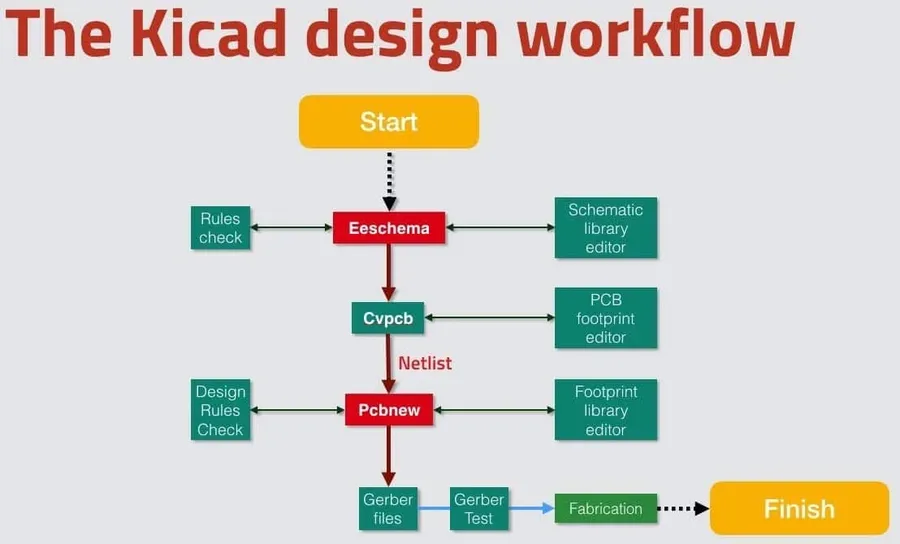
Efficient PCB design on a Mac, whether using virtualization or native software, requires strategic planning and execution. This section provides practical advice to optimize your workflow, minimize potential issues, and ensure a smooth experience.
Optimize Virtual Machine Performance If using a virtual machine, allocate sufficient RAM and processing power to the virtual environment. Regularly update the virtual machine software and the guest operating system (Windows) to ensure optimal performance and compatibility. Disable unnecessary background processes within the virtual environment to maximize resource availability for your PCB design software.
Leverage Cloud-Based Collaboration For native Mac PCB design software that offers cloud features (such as EasyEDA or Fusion 360), take advantage of collaboration tools for version control and real-time teamwork. This can greatly improve efficiency, especially when working with others, and ensure that all project members are on the same page.
Utilize Keyboard Shortcuts Both virtualized and native software often provide many keyboard shortcuts, which increase efficiency in the long term by reducing the amount of time moving between the keyboard and mouse. Learning these common shortcuts can significantly increase your design speed. Refer to the software's documentation for a list of available shortcuts.
Regularly Save and Backup Your Projects Implement a robust backup strategy. Regularly save your work and maintain backups on external drives or cloud storage. Set up automatic backups within your PCB design software to protect against data loss. This is critical when switching between operating systems or software.
Take Advantage of Component Libraries Explore the component libraries of your PCB software. Utilizing predefined component libraries not only saves time but also ensures consistency and reduces the chances of errors during the design phase. If not available, create a template for reusing components or footprints.
Learn Design Rule Checks (DRC) Understanding and utilizing Design Rule Checks (DRC) in your software is crucial. These checks automatically identify design violations, such as trace spacing, and ensure the physical manufacturability of your board before it gets manufactured. Regularly run DRC to avoid errors that are costly or time-consuming to fix.
Explore Tutorials and Community Forums Make the most of available resources by studying tutorials and engaging in community forums and discussion platforms. There is a wide range of tutorials, and help available, that will help users through all steps in the design. Engaging with a community will help with troubleshooting and keep the user current on the latest techniques.
The Future of CircuitMaker on Mac
Futuristic PCB
The future of CircuitMaker on macOS remains uncertain, primarily due to its current reliance on the Windows operating system. While there's no official announcement regarding a native macOS version, user feedback and evolving technology could influence future developments. This section explores the potential pathways and considerations for CircuitMaker on Mac.
User feedback plays a crucial role in software development. The demand for a macOS version of CircuitMaker is substantial, particularly given the increasing number of designers and engineers who prefer the Apple ecosystem. This user voice acts as a key driver for potential development shifts. The development team at Altium is continually collecting and analyzing user feedback. If the demand for a native macOS version is significant, they might prioritize its development. However, this is not guaranteed and depends on various factors, including resource allocation and overall strategic goals.
Several factors influence the likelihood of CircuitMaker being developed for macOS. Engineering challenges, resource constraints, and market demand are crucial. The company might also focus on enhancing other aspects of their existing software suite. Users interested in a native version need to proactively participate in the official community to make their needs clear. The future of CircuitMaker on Mac also depends on the broader trends in software development, including the increasing use of cross-platform development tools. If these trends become more influential, Altium might explore these approaches to make CircuitMaker more accessible.
For Mac users, the outlook remains mixed. While there is no guarantee of a native CircuitMaker version in the near future, the existing options of virtualization and alternative software tools still provide reliable solutions for PCB design. Continued user feedback, market trends, and technological advances will play a critical role in shaping the future of CircuitMaker on macOS.
While CircuitMaker does not natively support macOS, there are viable options for Mac users. You can use virtualization to run CircuitMaker, or you can switch to one of the many excellent native Mac alternatives. With these choices, designers on a Mac can still efficiently create and refine PCBs using their preferred workflow. Choosing the right software depends on your specific project needs and software preferences. Keep an eye on community updates on CircuitMaker and MacOS for new possibilities. Whether you choose to virtualize your Windows experience to run CircuitMaker or switch to a native Mac alternative, your PCB design process is not limited by your device.