Troubleshooting & Replacing Your Ceiling Fan Capacitor: A Complete Guide
2025.01.20
Just like a heart for a human body, the capacitor plays a crucial role in keeping your ceiling fan running smoothly and efficiently. If your fan is struggling to start, running at the wrong speed, or not working at all, the capacitor for ceiling fan might be the culprit. This guide will walk you through understanding what a capacitor does, how to diagnose problems, and the steps for a successful replacement.
Understanding the Role of a Ceiling Fan Capacitor
Ceiling Fan Capacitor
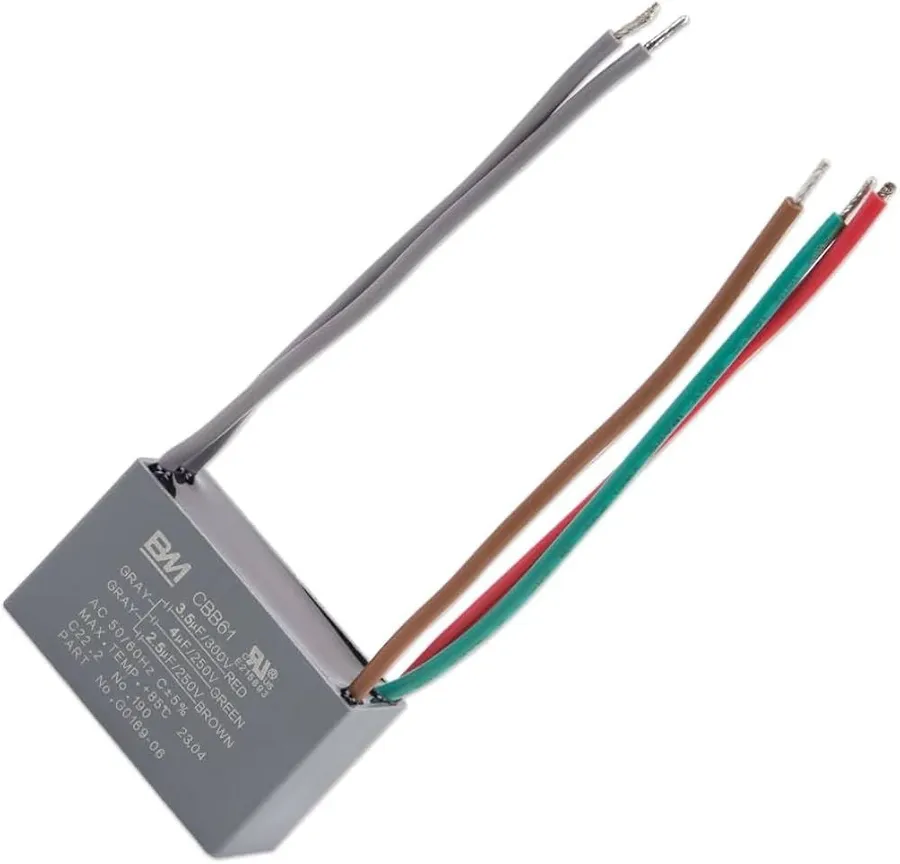
A ceiling fan capacitor is a crucial component that enables the fan motor to start and operate efficiently by providing the necessary electrical phase shift. It acts as a temporary energy storage device, storing electrical charge and releasing it to create the magnetic field that initiates and controls the motor's rotation.
At its core, a capacitor functions by accumulating electrical charge on its internal plates. In a ceiling fan, this stored energy is crucial to produce the phase shift in the current going to the motor windings, creating a rotating magnetic field and getting the motor spinning. Without the capacitor, the motor would fail to start or would operate erratically, or at reduced speeds.
Common Symptoms of a Failing Ceiling Fan Capacitor
Stalled Ceiling Fan
A failing ceiling fan capacitor manifests through several distinct symptoms, often indicating the need for a replacement. These issues stem from the capacitor's inability to properly store and release electrical energy, which is crucial for the motor's operation.
Fan Not Starting One of the most prominent signs of a bad capacitor is the fan's failure to start when the power is turned on. This occurs because the capacitor is unable to provide the initial electrical impulse required to start the motor.
Slow or Inconsistent Speeds If the fan starts but runs at a much slower speed than usual, or if the speed fluctuates inconsistently, it could indicate a failing capacitor. This is because the capacitor is unable to maintain the correct phase shift necessary for consistent motor rotation.
Humming Noises A faulty capacitor often produces a noticeable humming noise emanating from the fan motor. This noise is the result of the motor struggling to start or maintain speed due to insufficient power delivery from the capacitor.
Erratic Fan Blade Movement A capacitor that is not functioning properly can cause the fan blades to move in an erratic manner, which can include stuttering, jerky motion, or failing to reach full speed. This erratic movement is due to the irregular power supply to the motor.
Identifying the Correct Replacement Capacitor
Capacitor Specifications
Selecting the correct replacement capacitor for your ceiling fan is crucial for ensuring proper fan operation and longevity. This process involves locating the existing capacitor within the fan's housing and carefully noting its specifications to guarantee compatibility.
Here's a breakdown of the key steps:
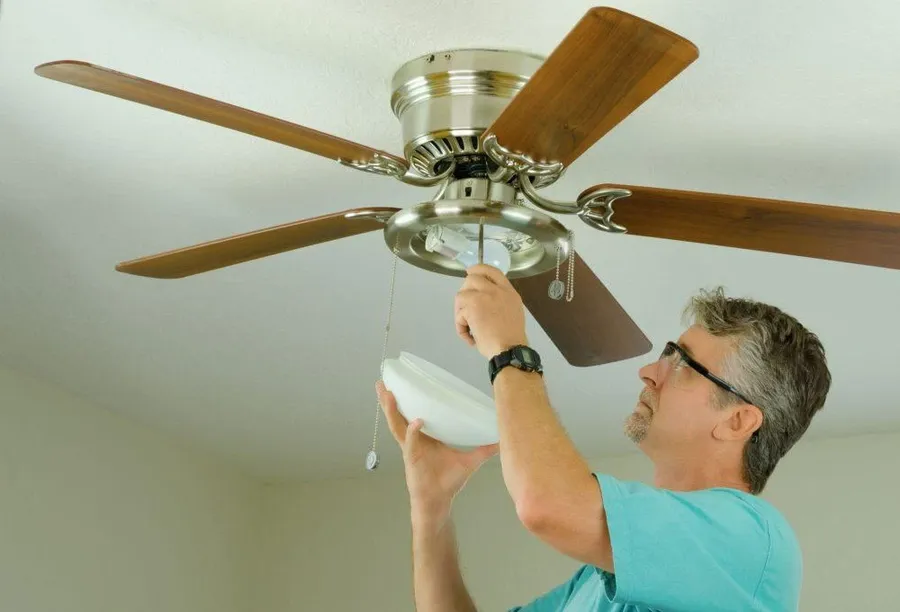
Locating the Capacitor: The capacitor is typically housed within the switch housing or motor housing of the ceiling fan. This may require removing the light fixture and/or the switch housing to access. Ensure the power to the fan is disconnected at the circuit breaker before attempting to access internal components.
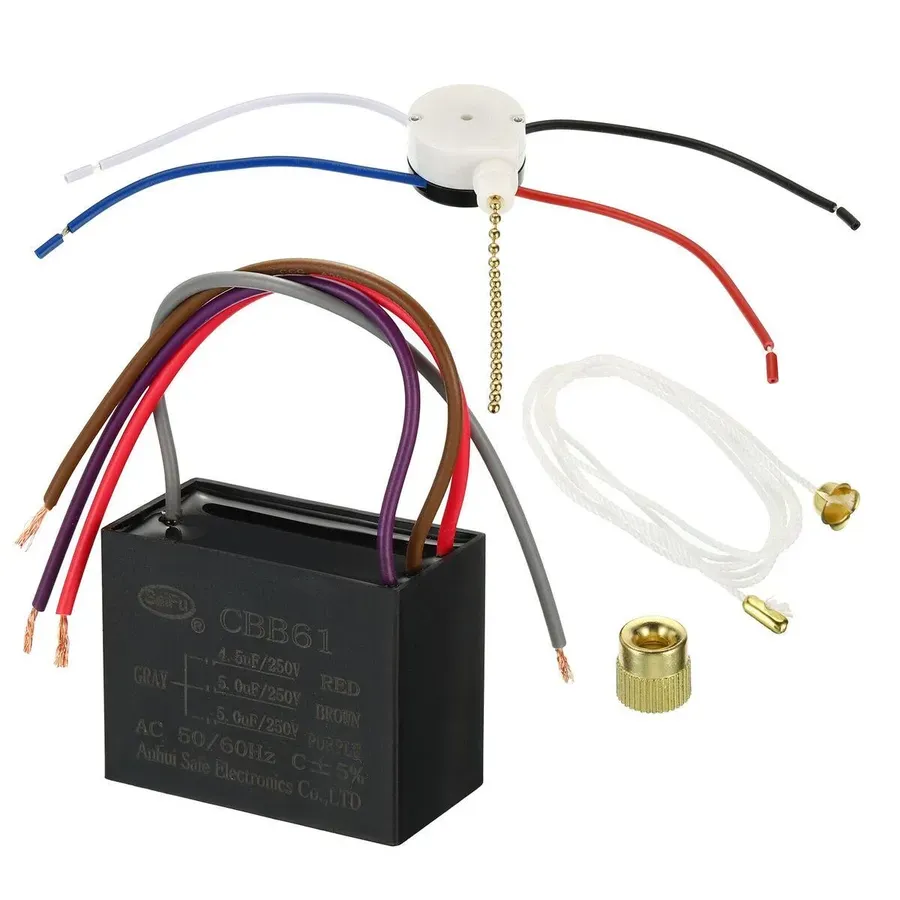
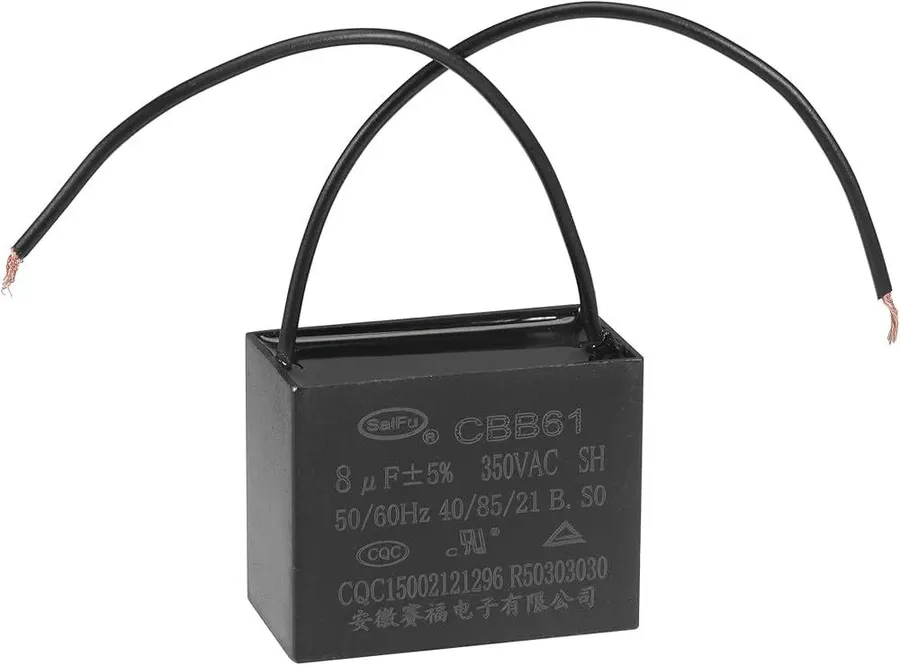
Identifying Capacitor Specifications: The capacitor will have several markings, the most important of which are capacitance (measured in microfarads, or µF) and voltage rating (in volts). You must match these specifications exactly, and a small deviation in capacitance or a lower voltage rating will result in fan malfunction or premature failure. Also, note the number of wires connected to the capacitor. These are crucial for proper wiring during replacement.
Capacitance (µF): This is indicated by a number followed by 'µF' or 'uF', for example, 2.5µF or 4.7uF. This value determines how much charge the capacitor can store and directly affects the fan's speed. A mismatch in capacitance can cause the fan to run too slow, too fast, or not start at all.
Voltage Rating: Expressed in volts (V), the voltage rating indicates the maximum voltage the capacitor can safely handle. Always replace with a capacitor that has the same voltage rating or a *higher* voltage rating. Never use a capacitor with a lower voltage rating than the original.
Number of Wires: Ceiling fan capacitors commonly have 2, 3, or 4 wires. Match the wire count of your replacement to ensure correct wiring. Note color codes or take pictures of the existing connections to assist with re-assembly. A mismatch will cause the fan to not work.
Matching Specifications: When selecting a replacement capacitor, strictly adhere to the original specifications for both capacitance (µF) and voltage rating. Using a capacitor with an equivalent or higher voltage rating is acceptable, and sometimes recommended, but never use one with a lower voltage rating. The capacitance, however, *must* match, as it is critical to the fan’s motor performance.
Using a capacitor with incorrect specifications can lead to poor fan performance, excessive heat generation, or even premature failure of the capacitor or the fan motor itself. Always double-check the replacement capacitor before installation.
Step-by-Step Guide to Replacing a Ceiling Fan Capacitor
Capacitor Replacement
Replacing a ceiling fan capacitor is a manageable task for most homeowners with basic electrical knowledge. However, safety is paramount, and this guide emphasizes the necessary precautions to prevent electrical shock. This section details each step, from disconnecting the power to reassembling the fixture, ensuring a safe and effective replacement process.
Before beginning, gather the following tools and ensure you have the correct replacement capacitor:
Tools Required Screwdrivers (Phillips and flathead), Wire strippers, Electrical tape, Voltage tester (non-contact), Ladder
Replacement Capacitor Ensure the new capacitor matches the old one's specifications, especially the capacitance (in microfarads - µF) and voltage rating. Refer to section “Identifying the Correct Replacement Capacitor” for specifics.
Follow these steps for safe and effective capacitor replacement:
Step 1: Disconnect Power Locate the circuit breaker controlling the ceiling fan and switch it OFF. Confirm the power is off using a non-contact voltage tester at the fan's switch and wiring. This is the single most important step for your safety.
Step 2: Access the Capacitor Carefully remove the fan's light fixture or switch housing to access the capacitor. Typically, the capacitor is located in a small metal box near the fan's motor.
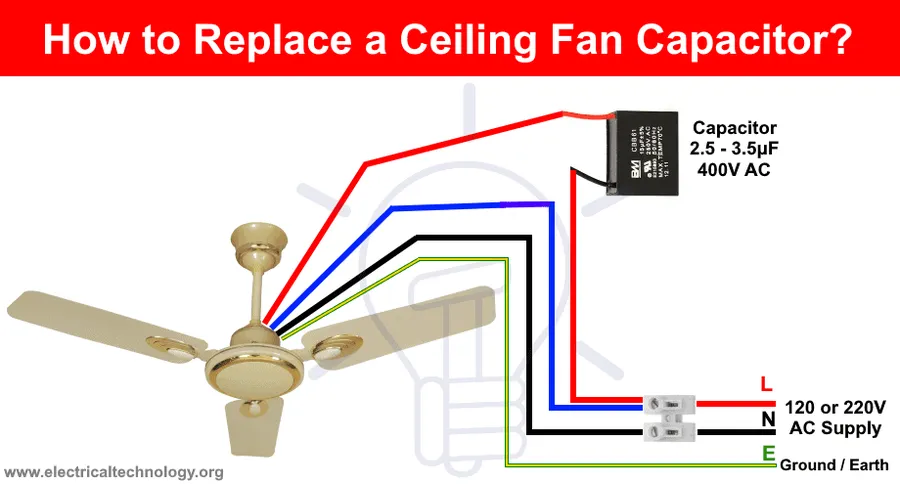
Step 3: Disconnect the Old Capacitor Note the original wiring configuration (take a photo if necessary). Use wire strippers to disconnect the wires from the old capacitor. Do not cut the wires too short, this will give you enough to work with when connecting the new capacitor.
Step 4: Connect the New Capacitor Connect the wires to the new capacitor, ensuring they match the original wiring configuration. Use electrical tape to secure each connection and prevent accidental shorts, if the new capacitor has different connectors, ensure they are securely connected to the ceiling fan wires.
Step 5: Test the Fan and Reassemble the Fixture Carefully tuck the wires and capacitor back into the housing. Restore power at the circuit breaker. Test the fan's operation, ensuring it starts and operates smoothly through all speed settings. If the fan operates correctly, turn the power back off and reassemble the fixture.
If the fan still doesn't function properly after replacing the capacitor, or if any step seems unclear or risky, consult a qualified electrician. Improper installation can damage your fan or even create an electrical hazard.
Frequently Asked Questions About Ceiling Fan Capacitors
This section addresses common questions regarding ceiling fan capacitors, providing clarity on troubleshooting and maintenance. Understanding these aspects can help extend the lifespan of your fan and avoid unnecessary replacements.
How do I know if my ceiling fan capacitor is bad? A failing capacitor often manifests through several symptoms. The most common signs include the fan not starting at all, running at inconsistent or unusually slow speeds, producing a humming noise without the blades turning, or the fan blades moving erratically. These are typically indicators that the capacitor is no longer storing and releasing energy effectively.
What kind of capacitor do I need for a ceiling fan? The correct capacitor for your ceiling fan must match the original specifications in terms of capacitance (measured in microfarads, µF) and voltage rating. These specifications are usually printed on the capacitor itself. Using a capacitor with an equal or slightly higher voltage rating is permissible but using an incorrect capacitance can lead to poor performance or damage to the fan motor.
What happens when a fan capacitor goes bad? When a ceiling fan capacitor fails, it can no longer store and release the electrical energy required to start the motor and maintain consistent speed. This usually results in the fan either not starting, running slowly or erratically, or producing a humming sound. In some cases, the motor might stop working entirely if the capacitor fails completely.
How much does it cost to replace a ceiling fan capacitor? The cost of a replacement ceiling fan capacitor is typically quite low, often ranging from $5 to $20. However, the total cost can increase if you need to hire an electrician for the replacement, which can add labor costs. Doing it yourself is a cost-effective solution if you have basic electrical knowledge and safety precautions are followed.
Can a ceiling fan run without a capacitor? No, a ceiling fan that utilizes a capacitor-start motor, which is the most common type in residential ceiling fans, cannot function properly without a capacitor. The capacitor provides the necessary phase shift to initiate the motor's rotation. Without it, the motor will likely just hum without turning or will operate erratically if it starts at all.
Is it safe to replace a ceiling fan capacitor myself? Replacing a capacitor yourself is feasible if you are comfortable and knowledgeable with basic electrical work and can strictly adhere to safety protocols. However, it is essential to disconnect the power supply to the fan before starting the repair. If you are unsure or not confident, it's best to hire a qualified electrician to ensure the job is done correctly and safely.
Capacitor Specifications: What the Numbers Mean
Understanding the specifications of a ceiling fan capacitor is crucial for ensuring proper fan operation and selecting the correct replacement. These specifications, typically printed directly on the capacitor, indicate its electrical characteristics, primarily capacitance and voltage rating.
Specification
Description
Importance
Capacitance (µF)
Measured in microfarads (µF), this value determines the amount of electrical charge the capacitor can store.
The correct capacitance is vital for the motor's phase shift, which initiates and maintains rotation at the designed speed. A mismatch can cause the motor to run improperly or fail.
Voltage Rating (VAC)
Indicates the maximum alternating current voltage that the capacitor is designed to handle safely.
The voltage rating must be equal to or greater than the voltage supplied to the fan. Using a capacitor with a lower voltage rating can lead to premature failure or a safety hazard.
Number of Wires
Refers to the number of wires connecting the capacitor to the fan's electrical circuit.
This should match the original capacitor for proper installation. Multi-wire capacitors (e.g., 3-in-1) often manage multiple fan speeds.
The microfarad (µF) rating directly correlates to the capacitor's ability to facilitate the phase shift in the AC current, which is necessary to start and maintain the rotational movement of the ceiling fan motor. A capacitor with an incorrect µF rating can result in the fan running slowly, erratically, or not starting at all. The voltage rating must be equal to or greater than the operating voltage of the fan to prevent capacitor failure. Using a replacement capacitor with a lower voltage rating than specified may cause a short or fire hazard.
Furthermore, some ceiling fans utilize multi-wire capacitors (e.g., 3-in-1 capacitors) which control multiple speed settings. In these cases, it's critical to correctly identify the wiring configuration of the original capacitor and match it to the replacement for proper functionality. Ignoring these specifications when replacing a capacitor can result in degraded performance, premature failure, or even damage to the fan motor itself.
Troubleshooting Common Capacitor Issues
When a ceiling fan malfunctions, the capacitor is a common suspect. While the previously described symptoms can point to a faulty capacitor, a systematic troubleshooting approach is essential to confirm the diagnosis and rule out other potential causes. This section outlines advanced techniques for capacitor testing and general troubleshooting of fan motor issues.
Using a Multimeter to Test Capacitance A multimeter equipped with a capacitance measurement function is crucial. With the power safely disconnected, detach the capacitor from the fan circuit. Set the multimeter to capacitance mode, and connect the probes to the capacitor terminals. Compare the reading with the capacitor's stated microfarad (µF) rating. A significant deviation indicates a faulty capacitor. A capacitor’s capacitance may drift over time but a value that is less than 70% of the rated capacitance indicates the capacitor needs to be replaced.
Testing for a Short Circuit A short circuit within the capacitor can also cause malfunction. Use the multimeter to test continuity across the capacitor terminals; if the meter indicates a short (very low resistance), the capacitor should be replaced.
Identifying Other Potential Issues If the capacitor tests within acceptable parameters, examine the fan's wiring for any breaks or loose connections. The fan motor itself could also be the source of the problem, and if so, a replacement or professional repair may be required.
Symptom
Possible Cause
Troubleshooting Steps
Fan does not start
Faulty capacitor, motor issues, wiring issues
Test capacitor, inspect motor windings and wiring
Fan starts slowly or inconsistently
Degraded capacitor, low supply voltage
Test the capacitance value of the capacitor and measure voltage at the circuit
Humming noise but blades do not rotate
Seized motor, shorted capacitor
Inspect motor for any blockages, test capacitor for short
Erratic fan blade movement
Capacitor failure, internal motor fault
Test capacitor, examine motor bearings and condition
Where to Buy a Replacement Capacitor for Ceiling Fan
Capacitor Variety
Securing a replacement capacitor for your ceiling fan doesn't have to be a complex endeavor. A variety of options exist, ranging from online marketplaces to local brick-and-mortar stores, each offering its own set of advantages. It's crucial to prioritize both the availability of the correct specification and the reliability of the seller when making your purchase.
Online Retailers Major online platforms like Amazon, Lowes, and Walmart often stock a wide selection of ceiling fan capacitors. These sites allow for convenient browsing, customer reviews, and comparisons, but always verify seller ratings and product specifications.
Local Hardware and Electrical Supply Stores Local hardware stores such as Home Depot or electrical supply retailers are dependable sources for ceiling fan capacitors. The advantage of these stores is the immediate availability and the option to consult with staff for specific needs or questions.
Specialized Fan Parts Suppliers There are specialized suppliers both online and physical who deal in fan parts. These suppliers may offer hard-to-find capacitors or offer more specialized technical advice for unique fan models.
Potential for counterfeit products, shipping times.
Local Hardware Stores (Home Depot, etc.)
Immediate availability, in-person advice.
Limited selection, possibly higher prices.
Specialized Fan Parts Suppliers
Expert advice, potentially hard-to-find parts
May be less accessible, possibly higher prices.
Extending the Life of Your Ceiling Fan Capacitor
Extending the life of your ceiling fan capacitor involves preventative maintenance and ensuring optimal operating conditions for your fan. By taking a few simple steps, you can reduce stress on the capacitor, potentially avoiding premature failure and saving on replacement costs.
Regular Cleaning Dust and debris accumulation within the fan housing can impede airflow, causing the motor to work harder and generate excess heat. This increased heat can negatively impact the capacitor's lifespan, leading to premature failure. Regularly clean the fan blades and housing to ensure proper ventilation and cooling.
Maintain Consistent Fan Speed Avoid constantly switching between high and low fan speeds. Sudden changes in speed demand more from the capacitor as it adjusts to the new motor load. If possible, maintain a consistent fan speed for longer periods, allowing the capacitor to operate under stable conditions and reduce stress.
Avoid Overloading Do not use a dimmer switch that is not designed for ceiling fans with capacitors. Such incorrect dimmers can cause voltage or current fluctuations which can put unnecessary stress on the capacitor causing it to fail prematurely.
Ensure Proper Ventilation Confirm that your ceiling fan has adequate space to circulate air. Avoid placing the fan in enclosed spaces where the motor and capacitor could overheat. Ensure that the surrounding area is well-ventilated, allowing the fan's internal components to dissipate heat effectively.
Routine Inspections Periodically inspect the ceiling fan for any unusual noises, erratic blade movement, or signs of overheating. These issues can indicate potential problems with the motor or capacitor, allowing for early intervention before a complete failure occurs. Address these issues immediately to prevent further damage.
By understanding the role of a capacitor for ceiling fan, and knowing the signs of a failing capacitor, you can take the right steps towards a solution. Replacing a capacitor for ceiling fan, can not only help in bringing your fan back to life, but also help save money from costly repairs or new fan purchases. Armed with the knowledge provided in this guide, you can confidently maintain your ceiling fan for years to come.